If your product calls https://www.googleapis.com/customsearch/v1, you have a deadline. Google's own overview page says the Custom Search JSON API "is closed to new customers" and that existing customers "have until January 1, 2027 to transition to an alternative solution" (source: https://developers.google.com/custom-search/v1/overview, read on 2026-11-24). The same page lists 100 free queries per day, then $5 per 1,000 queries, capped at 10,000 queries per day, and points to Vertex AI Search for teams that only need to search up to 50 domains.
This guide is for the other group: people who used Custom Search as a general "give me ranked web results for a query" call, and now need something that does that job. It walks through what your current code probably depends on, maps those fields onto the web search listings on API.market, shows runnable snippets, and is blunt about which parts were tested and which were not.
What you are actually replacing
Before picking a vendor, write down which parts of Custom Search your code uses. Most integrations use very little of it.
A typical call looks like this:
curl "https://www.googleapis.com/customsearch/v1?key=API_KEY&cx=ENGINE_ID&q=best+rank+tracker&num=10"
The response has an items array. Each item has title, link and snippet, plus extra metadata (pagemap, displayLink, formattedUrl) that many apps never read. If that describes you, the migration is mostly a field rename and a new auth header.
Three things in the old setup have no direct equivalent anywhere, and you should decide how to handle them up front:
- The
cxengine ID. In Custom Search,cxpoints at a Programmable Search Engine that you configured in a console, often restricted to a list of sites. A hosted web search API has no such object. If you relied on "search only these 20 domains", you will need to putsite:operators in the query, filter results yourself, or look at Vertex AI Search, which Google itself recommends for that case. - Paging with
start. Custom Search let you walk past the first page withstart=11,start=21and so on, up to a documented ceiling. Several of the options below cap you at one page of up to 10 results, or have their own paging rules. Check whether your product really needs result 11 and beyond. Many do not. - Billing by Google project. You will be moving from a Google Cloud billing account to an API.market key and wallet or plan. That is a procurement change as much as a code change.
The options at a glance
All five listings below sit behind one API.market key, sent in the x-api-market-key header. The numbers come from each listing's page on 2026-11-24. Free allowances on API.market are finite, one-time trials per product, not monthly refills, so do not plan production traffic around them.
| Listing | Method and path | Free trial | Paid price shown | Snippets | Test status in this guide |
|---|---|---|---|---|---|
| SouthPow Web Search | GET /search |
50 calls (hard limit) | See plans on the listing | No | Real calls made 2026-11-24 |
| Brave (Google Search API listing) | GET /web/search |
500 calls | See plans on the listing | Per Brave's response | Earlier QA first call passed; not re-run for this guide |
| SerpLib | POST /search |
100 credits | From $0.004 per query | Yes (snippet) |
Documentation only, not executed |
| Google Search API: Fast and Complete Results | POST /search |
30 calls | See plans on the listing | Not confirmed | First call unverified |
| ONE Web Search | POST /web-search |
None, pay as you go | $0.007 per search | Yes | Calls timed out, unverified |
Read the last column before you read anything else. A listing page and a working first call are different things, and only one of these rows has a result I can show you.
Field mapping from customsearch/v1
This is the table to keep open while you edit code. Where a cell says "not available", that field does not exist in the documented response.
| Google customsearch/v1 | SouthPow | ONE Web Search (per its docs) |
|---|---|---|
q |
q |
query in the JSON body |
num (max 10) |
n (1 to 10, default 5) |
limit (1 to 10, default 10) |
start (paging) |
not available | not available |
siteSearch |
put site:example.com inside q (untested) |
same (untested) |
cx, key |
not needed, key goes in x-api-market-key |
same |
items[].title |
results[].title |
results[].title |
items[].link |
results[].url |
results[].url (also link) |
items[].snippet |
not returned | results[].snippet |
| no equivalent | publishedDate, author (often empty) |
date (often empty) |
Two gaps matter. Neither documented option gives you start paging, so you cannot walk past the first 10 results. And SouthPow returns titles and URLs only, no snippet. If your UI shows a text preview under each link, you will need to fetch the page yourself or choose a listing that returns snippets.
Option 1: SouthPow Web Search (tested)
This is the one I actually called. The listing is https://api.market/store/betelgues/southpow-web-search. It has two endpoints, a health check and /search. The free plan is 50 calls with a hard limit and 5 requests per second.
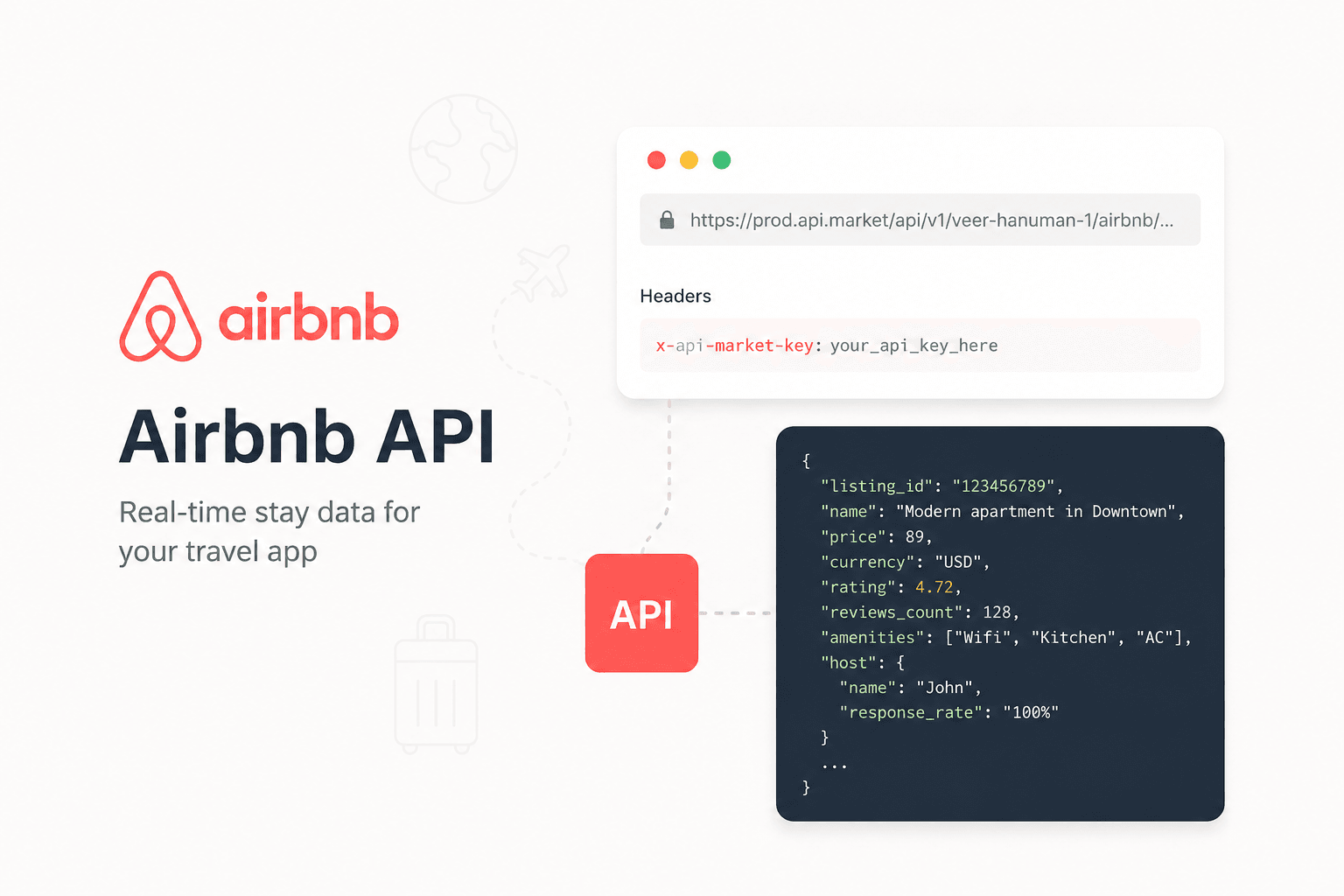
Auth is a header, x-api-market-key: YOUR_API_KEY. The base path is https://prod.api.market/api/v1/betelgues/southpow-web-search.
curl
curl -G 'https://prod.api.market/api/v1/betelgues/southpow-web-search/search' \
  -H 'x-api-market-key: YOUR_API_KEY' \
  --data-urlencode 'q=replace Google Custom Search JSON API' \
  --data-urlencode 'n=5'
Python
import requests

r = requests.get(
    "https://prod.api.market/api/v1/betelgues/southpow-web-search/search",
    headers={"x-api-market-key": "YOUR_API_KEY"},
    params={"q": "replace Google Custom Search JSON API", "n": 5},
    timeout=30,
)
r.raise_for_status()
for item in r.json()["results"]:
    print(item["title"], item["url"])
Node.js
const params = new URLSearchParams({ q: "replace Google Custom Search JSON API", n: "5" });
const res = await fetch(
  `https://prod.api.market/api/v1/betelgues/southpow-web-search/search?${params}`,
  { headers: { "x-api-market-key": "YOUR_API_KEY" } }
);
if (!res.ok) throw new Error(await res.text());
const { results } = await res.json();
results.forEach((r) => console.log(r.title, r.url));
How it was tested: on 2026-11-24 the same request was sent through API.market's own tool-calling interface (not from a shell, because the sandbox had no API key). The three snippets above mirror that call. They have not been run as shell, Python or Node programs, so treat them as unexecuted code that matches a call that worked.
A real response
This came back at 2026-11-24 02:09 UTC for the query above, with n=5:
{
  "as_of": "2026-11-24T02:09:26Z",
  "count": 5,
  "query": "replace Google Custom Search JSON API",
  "results": [
    {"author": "", "publishedDate": "", "title": "Custom Search JSON API  |  Google for Developers", "url": "https://developers.google.com/custom-search/v1/overview"},
    {"author": "", "publishedDate": "", "title": "Google Custom Search JSON API Alternative: Migration Guide", "url": "https://www.context.dev/blog/google-custom-search-json-api-alternative"},
    {"author": "", "publishedDate": "", "title": "Google Custom Search JSON API replacements, tested on its own filters", "url": "https://searchandfetch.com/articles/google-custom-search-api-replacements/"},
    {"author": "", "publishedDate": "", "title": "Custom Search JSON API Alternative: $2.50 per 1,000", "url": "https://packetstream.io/custom-search-api-alternative/"},
    {"author": "", "publishedDate": "2026-11-04T15:00:00.000Z", "title": "Replace the Custom Search JSON API in 10 Lines of Python", "url": "https://packetstream.io/custom-search-api-python/"}
  ]
}
Notice that publishedDate is empty for four of the five. The listing's FAQ says it is filled only when the page publishes a date. Do not build logic that assumes it exists.
The error you will hit first
Leave out q and you get an HTTP 422 with a body like this (also observed for real):
{"detail":[{"type":"missing","loc":["query","q"],"msg":"Field required","input":null}]}
The fix is to always send q. Beyond that, the documented status codes are 400 (bad parameter), 401 (missing or invalid key), 403 (your plan does not allow the call), 429 (over the per-second limit, honor Retry-After), and 500 or 503 (retry with backoff).
Where SouthPow fits
It suits agents, research helpers and monitoring jobs that need the top handful of URLs and will fetch the pages themselves. It does not suit a search results page that shows snippets, and it cannot page. The sample size here is small: one successful query, five results. That is enough to show the call works and what the shape looks like. It is not a quality or relevance benchmark, and you should not read it as one.
Option 2: Brave on API.market
The listing at https://api.market/store/brave/brave is titled "Google Search API" but its description says it exposes Brave Search: web, video, image, news, suggestions and spellcheck endpoints. The one you want for a Custom Search replacement is GET /web/search with a q parameter.
What the documentation states:
- Web search takes
q. The listing's schema shows no other web-search parameters, so do not assumecountorcountrywork there. The video, image and news endpoints do listcount,country,search_langandspellcheck. - Errors are standard: 400 for a malformed request, 401 for a bad key.
- The free trial is 500 calls, one time. On 2026-11-24 the listing showed 34,609 total API calls and 59 subscribers, which makes it the most used listing in this guide.
Test status: a first call through this listing passed an earlier QA check by another team member. I did not repeat it for this article and I did not save that response, so I am not going to quote a payload from it. When you try it, run one query, check the shape of the JSON you get back, and write your field mapping against that real shape rather than against any sample in a blog post, including this one.
A reasonable first request, built from the documented path and parameter (unexecuted as written here):
curl -G 'https://prod.api.market/api/v1/brave/brave/web/search' \
  -H 'x-api-market-key: YOUR_API_KEY' \
  --data-urlencode 'q=replace Google Custom Search JSON API'
Brave is the choice if you want an independent index rather than a reseller of Google's results. That matters for a reason beyond cost: results will not match what Custom Search returned, so ranking-sensitive features need a re-check.
Option 3: SerpLib
SerpLib (https://api.market/store/serplib/serp) describes itself as a Google SERP API. It is a POST endpoint, and its documentation is the most detailed of the group.
From the listing documentation:
- Web search is
POST /searchwith a JSON body:q(required),gl(country),hl(language),num(1 to 100, Google may return fewer),page(1 to 10) andlocation. - The response has
organicitems withtitle,link,snippet,positionand sometimesdate, plusknowledgeGraph,peopleAlsoAsk,relatedSearchesand acreditsobject. - Price: "from $0.004 per query", one credit per call, with 100 free credits as a one-time trial. Rate limit 60 requests per minute.
- It also covers images, news, maps, videos, shopping and autocomplete.
That is the closest match to what Custom Search gave you, and it is the only one here that documents paging (page, up to 10). It has a snippet, so a results page can look familiar.
Two warnings. First, the listing is internally inconsistent about its base path: the documentation text uses https://prod.api.market/api/v1/magicapi/serp, while the listing itself lives under serplib/serp. Use whichever path your own dashboard shows after you subscribe, and do not paste the path from this article without checking. Second, the first call to this listing has not been verified by us. The code below is built from the documentation and has not been executed:
import requests

BASE = "https://prod.api.market/api/v1/magicapi/serp"  # confirm in your dashboard

r = requests.post(
    f"{BASE}/search",
    headers={"x-api-market-key": "YOUR_API_KEY", "Content-Type": "application/json"},
    json={"q": "replace Google Custom Search JSON API", "gl": "us", "hl": "en", "num": 10},
    timeout=30,
)
r.raise_for_status()
for item in r.json().get("organic", []):
    print(item["position"], item["title"], item["link"])
The documented status codes include 402 for insufficient credits and 429 for the 60 per minute limit. Handle both before you go near production.
Option 4: Google Search API: Fast and Complete Results
The listing at https://api.market/store/long-bear/google-search-fast-complete-result is a POST /search endpoint under https://prod.api.market/api/v1/long-bear/google-search-fast-complete-result. Its description says the response has exactly three root fields, one of which is count. It offers 30 free calls as a one-time trial, and on 2026-11-24 it showed 11 total calls and 2 subscribers.
I have not made a successful first call to it, and I did not map its remaining fields. That means I cannot tell you whether it returns snippets, how many results per call it gives, or how it handles paging. Treat it as a candidate to evaluate, not a recommendation. If you try it, spend your first few of the 30 calls on exactly the queries your product runs most, and compare the output to what Custom Search returned for them.
Option 5: ONE Web Search (documented, not working when I tried)
ONE Web Search (https://api.market/store/one-engine/one-web-search) is pay as you go at $0.007 per search with no monthly fee. Its documentation says to send POST https://prod.api.market/api/v1/one-engine/one-web-search/web-search with a JSON body such as {"query": "...", "limit": 5}, and that it returns results with title, url, link, snippet, position and date.
This is the half of this guide I could not verify. On 2026-11-24, an empty query returned HTTP 400 with {"error":"query must be 1-500 characters"}, which at least shows the endpoint is reachable and validating input. But all five calls with a valid query came back as Error 400: {"error":"The operation was aborted due to timeout"} through API.market's tool interface: limit 5, limit 10, a site: query, limit 5 again, and a final retry with limit 3 at about 03:05 UTC. No results ever came back. Usage showed the same call count and wallet balance before and after the retries, so the timeouts looked unbilled, but that is an observation, not a guarantee from the provider.
The only evidence of a working call is the example response in the listing's own documentation, captured in October. So: unexecuted request, for reference only.
curl -X POST "https://prod.api.market/api/v1/one-engine/one-web-search/web-search" \
  -H "x-api-market-key: YOUR_API_KEY" -H "Content-Type: application/json" \
  -d '{"query": "replace Google Custom Search JSON API", "limit": 5}'
We have also written about this listing in a broader comparison, Web Search API for AI Agents: 4 Listings Compared. If you read that post and then try this endpoint, run one query first and see whether it responds before you wire it in.
What each option costs at your volume
Put your real numbers in. Custom Search cost you $5 per 1,000 queries beyond 100 free per day, so one query was $0.005.
| Option | Per query (as listed) | 10,000 queries | 100,000 queries |
|---|---|---|---|
| Google Custom Search (ending) | $0.005 after 100 free per day, capped at 10,000 per day | $50 | Not allowed in one day, and the service ends January 1, 2027 |
| SerpLib | from $0.004 | from $40 | from $400 |
| ONE Web Search | $0.007 | $70 | $700 |
The SerpLib and ONE figures are the listing's stated per-query prices multiplied out. "From" means there may be higher-priced tiers, so check the plan you would actually be on. For Brave, SouthPow and the Long Bear listing, the free trials are the only prices I am confident in here; open the pricing tab on each listing for paid plans and check which units are billed per call before you do arithmetic. Also remember that a $0 per month plan with pay as you go billing can still charge for every unit, so read the plan type, not just the headline number.
One more cost: a migration that returns different results forces you to retest anything downstream, such as ranking, filtering or an LLM prompt that quotes snippets. That engineering time usually costs more than the per-query difference.
How to choose
Use these questions in order.
Do you need snippets under each link? If yes, SouthPow is out. SerpLib documents a snippet field. Brave's web results should have a description, but verify it on your first call.
Do you need more than one page of results? If yes, SerpLib is the only listing here that documents paging. If you only ever read the top 10, this question disappears.
Do you need results that look like Google's? SerpLib and the Long Bear listing both describe themselves as returning Google results. Brave uses its own index, so rankings will differ. For an AI agent or research tool this often does not matter. For a product that promises "what Google shows", it matters a lot.
Do you restrict to specific domains? Test site: handling on the listing you pick. It is marked untested for SouthPow above. If this is core to your product and the operator does not work, look at Vertex AI Search, as Google suggests.
How much do you trust a first call? Only SouthPow has one in this guide. The honest move for every other row is to spend part of the free trial on a real first call before committing.
A migration plan you can run in an afternoon
- Inventory. Search your code for
customsearch/v1,cx=andgoogleapis.com/customsearch. List each place it is called and which response fields it reads. Most apps read onlyitems[].title,linkandsnippet. - Write an adapter. Create one function that takes a query and a count and returns a list of
{title, url, snippet}objects. Everything else in your app calls that function. Then switching providers later means editing one file. - Subscribe and make one real call. Pick a listing, subscribe, and send one query from your actual shell. Save the raw response. Write your field mapping against that response.
- Replay real queries. Take 50 recent queries from your logs. Send them to the new provider and compare the top results with what Custom Search returned. Note how many results are missing a snippet or a date.
- Add error handling before launch. See the code below.
- Shadow, then switch. Run both for a few days if your quota allows it, log differences, then switch traffic. Do not leave the switch until December 31.
Error handling that survives a bad day
The ONE Web Search timeouts above are a useful reminder that a search call can hang or fail for reasons you cannot control. Bound everything: a timeout on each request, a ceiling on total retry time, and a fallback behavior that is not "crash".
import time
import requests

def search(query, n=5, key="YOUR_API_KEY", max_wait=20):
    url = "https://prod.api.market/api/v1/betelgues/southpow-web-search/search"
    deadline = time.monotonic() + max_wait
    delay = 1.0
    while True:
        try:
            r = requests.get(
                url,
                headers={"x-api-market-key": key},
                params={"q": query, "n": n},
                timeout=10,
            )
        except requests.Timeout:
            r = None
        if r is not None:
            if r.status_code == 200:
                return r.json()["results"]
            if r.status_code in (400, 401, 403, 422):
                raise RuntimeError(f"not retryable: {r.status_code} {r.text[:200]}")
            if r.status_code == 429:
                retry_after = r.headers.get("Retry-After", "")
                if retry_after.isdigit():
                    delay = max(delay, float(retry_after))
        if time.monotonic() + delay > deadline:
            raise TimeoutError(f"search gave up after {max_wait}s")
        time.sleep(delay)
        delay = min(delay * 2, 8)
A few notes on that code, since each choice is deliberate. It never retries 400, 401, 403 or 422, because repeating a bad request only burns quota. It only reads Retry-After when the value is all digits, because that header can also be an HTTP date and converting a date string to a number would throw. And it has a total deadline, so a slow provider cannot hold your request open indefinitely. These are plain GET requests with no billing side effects beyond the quota, so a bounded retry is reasonable here. If you ever use a listing that creates a billed job, do not blindly retry after a timeout, since the first request may have been accepted.
Also keep the last good result for repeated queries in a short-lived cache. Only do that if the listing's terms allow it; caching rights are separate from the technical ability to cache, and savings depend on how often your users repeat queries.
Frequently asked questions
Will a replacement return the same results as Google Custom Search? No. Even the Google-flavored listings are separate services with their own scraping or sourcing, and Brave has its own index. Replay your real queries, as in step 4 above, before you promise anything to your users.
Can I keep using Custom Search after January 1, 2027? Per Google's overview page, existing customers have until that date to move, and the pricing section refers to discontinuation on it. Plan for it to stop working.
What about searching a fixed list of sites? Google's page suggests Vertex AI Search for up to 50 domains. On API.market, the nearest approach is a site: operator in the query, which I have not verified on any listing.
Are the free trials monthly? No. On API.market the finite free plans are one-time trials per product. After the trial you need a paid plan or a funded wallet.
Which one should I start with? If you want a tested first call and can live with titles and URLs, start with SouthPow. If you want an independent index with a larger trial, try Brave. If you need Google-style results with snippets and paging, put SerpLib first on your evaluation list, then verify its first call yourself.
Sources and what was and was not checked
- Google's closure notice, 100 free queries per day, $5 per 1,000 queries and January 1, 2027 date: https://developers.google.com/custom-search/v1/overview, read 2026-11-24.
- Listing documentation and plan limits for SouthPow, Brave, SerpLib, the Long Bear listing and ONE Web Search, read from API.market on 2026-11-24.
- Executed: SouthPow search (one successful query, a 422 for a missing
q) and ONE Web Search (one 400 for an empty query, five timeouts on valid queries), all on 2026-11-24 through API.market's tool interface. - Not executed: every code snippet in this post as a standalone program, the Brave, SerpLib and Long Bear first calls for this article,
site:handling on any listing, and any relevance or quality comparison between providers.
Start with one real call on one listing, save the response, and build your adapter against that. Then replay your own queries before you switch traffic.