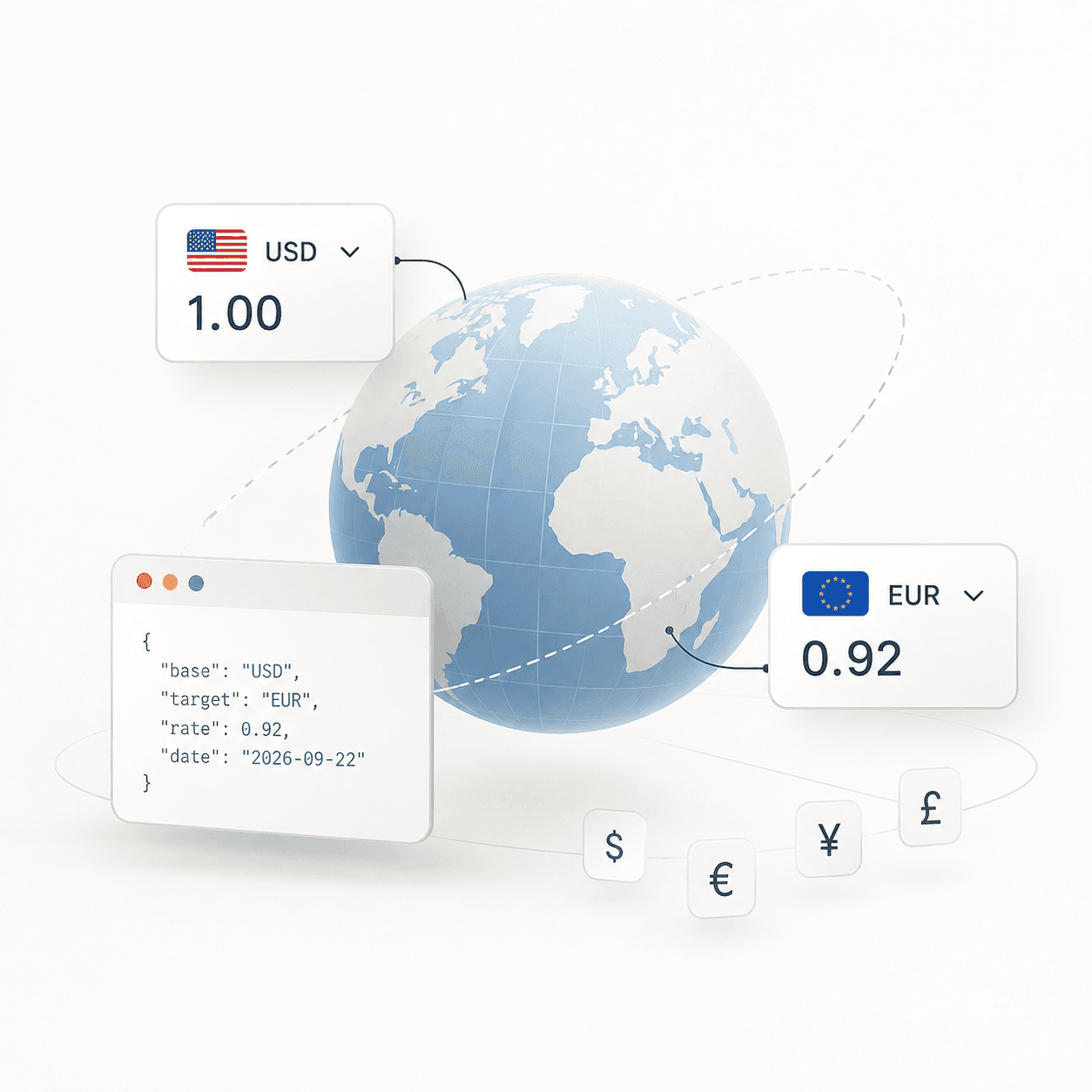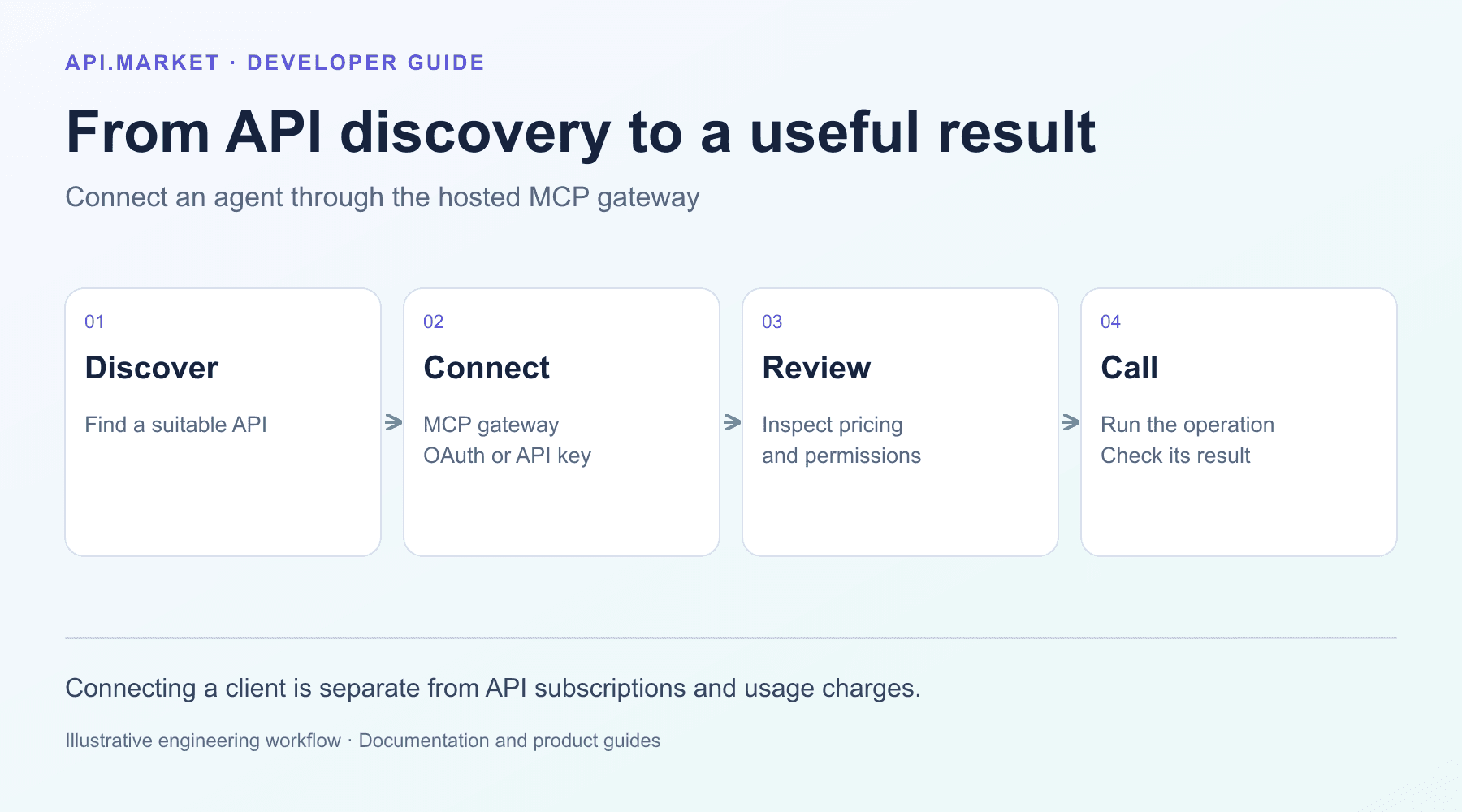
You need a barcode on a shipping label by Friday. Or you need to read one from a supplier photo and match it to a product row.
So you search for a barcode api and get a pile of npm packages, a few SaaS tools that want a demo call, and one StackOverflow answer from 2016. None of it tells you which API handles EAN-13 check digits for you, or what it costs at 50,000 labels a month.
We went through the barcode listings on API.market and read the docs and plan lists. We did not freshly run any of them for this update. Here is what the listings say, plus the parts they do not spell out: what each option costs at real volumes, how to build a label pipeline end to end, how to normalize UPC and EAN codes into one catalog key, and what to do when a call fails.
TL;DR: The 5 Barcode APIs on API.market Compared
- Viv Data Barcode Generator: Code128, EAN-13 and EAN-8 as PNG or base64. Free plan with 100 calls, Pro at $9.99/month for 10,000. Both plans are hard limits, so calls stop at the cap. One endpoint and three parameters, which keeps a first request short.
- TidyData Barcode Generator: Code 128 and EAN-13 as SVG. No free plan, pay as you go at $0.0005 per call, or $4.99/month for 25,000.
- CompassLab QR Code and Barcode API: generates and reads QR, EAN-13, UPC-A, Code 128 and Code 39, with a batch endpoint. Free plan with 500 calls, Pro at $4.99/month for 10,000.
- ZSmartSoft QR Code and Barcode Scanner: read-only. Send an image or an image URL, get the decoded value back. Free trial of 5 calls, Pro at $5/month for 30,000 calls.
- Barcode Product Data API for Turkish markets: different job. You give it a barcode, it returns product details, prices and images from Turkish retailers. Free plan of 1,000 calls, Pro at $15/month for 10,000.
The first four fall into two groups: APIs that make barcodes and APIs that read them. The fifth looks a barcode up. Mixing those up is an easy mistake, so keep the split in mind as you read.
Generate, Scan or Look Up: Pick the Right Kind First
"Barcode API" covers three different jobs.
Generation takes a string and returns an image. You use it for labels, invoices, tickets, packing slips. The input is yours, the output is a PNG or SVG.
Scanning (or reading) goes the other way. You send a photo or screenshot and get text back. Think inventory apps, supplier catalogs, ticket check-in.
Lookup takes a code like 8690000000000 and tells you what product it belongs to. That needs a product database behind it, and no generator or scanner has one. If you are building a "scan this and see the price" feature, you need a scanner plus a lookup source.
One more thing before the reviews. A few symbologies you will run into:
- Code 128 encodes letters, digits and punctuation. Good for order numbers, SKUs, tracking IDs.
- EAN-13 is the 13-digit retail code printed on most products outside North America.
- UPC-A is the 12-digit North American retail code. An EAN-13 starting with 0 is the same symbol as a UPC-A.
- EAN-8 is a short 8-digit retail code for small packages.
- Code 39 is older, uppercase letters and digits, still common in logistics and defense.
Retail codes (EAN and UPC) end in a check digit. Some APIs calculate it for you and some make you do it. That difference matters more than you would think, and we come back to it below.
Comparison Table
| API | Generate | Read | Formats | Output | Free tier | Paid from |
|---|---|---|---|---|---|---|
| Viv Data Barcode Generator | Yes | No | Code128, EAN-13, EAN-8 | PNG, base64 | 100 calls | $9.99/mo (10,000 calls, hard cap) |
| TidyData Barcode Generator | Yes | No | Code 128, EAN-13 | SVG, JSON | None | $0.0005/call or $4.99/mo |
| CompassLab QR and Barcode | Yes | Yes | QR, EAN-13, UPC-A, Code 128, Code 39 | PNG, SVG | 500 calls | $4.99/mo |
| ZSmartSoft Scanner | No | Yes | QR, EAN-13, UPC-A and other 1D codes | JSON | 5 calls (7-day trial) | $5/mo (30,000 calls) |
| Barcode Product Data (Turkey) | No | Lookup | Product barcodes | JSON | 1,000 calls | $15/mo (10,000 calls) |
Prices come from each listing's plan list as checked on November 17, 2026. API.market plans change, so check the product page before you budget.
1. Viv Data Barcode Generator
Viv Data's Barcode Generator has the smallest surface of the generators here. One GET endpoint, /generate, three parameters: data, fmt and output. That is the entire surface.
Key features:
- Code128 for any text, EAN-13 and EAN-8 for retail
- Output as a raw PNG or as JSON with a base64 data URI you can paste into an
<img>tag or a PDF - EAN check digits are computed for you: send 12 digits for EAN-13, 7 for EAN-8
- Free plan with 100 calls and Pro at $9.99/month with 10,000 calls. Both are hard limits in the plan list, so once you hit the cap further calls are blocked rather than billed
Per the listing, a request for 123456789012 with fmt=ean13&output=base64 returns a JSON object with a barcode field holding a complete data:image/png;base64,... string, with the check digit added. We have no retained run artifact for an earlier test of this call, so treat that behavior as listing-documented and not freshly executed. The same goes for every sample in this post.
curl "https://prod.api.market/api/v1/viv-data/barcode-generator/generate?data=123456789012&fmt=ean13&output=base64" \
  -H "x-api-market-key: YOUR_API_MARKET_KEY"
There is one rough edge, and the listing documents it. If you send the wrong number of digits for EAN-13 or EAN-8, the documented behavior is a bare 500 Internal Server Error with no JSON body instead of a clean validation error. Check the digit count in your own code before you call.
An unknown fmt value is documented as not failing either. It returns 200, so always pass one of the three documented values.
Here is a Python version that validates length first and saves the PNG:
import requests

BASE = "https://prod.api.market/api/v1/viv-data/barcode-generator"
HEADERS = {"x-api-market-key": "YOUR_API_MARKET_KEY"}

def make_ean13(digits: str, path: str) -> None:
    if not (digits.isdigit() and len(digits) in (12, 13)):
        raise ValueError("EAN-13 needs 12 or 13 digits")
    r = requests.get(
        f"{BASE}/generate",
        params={"data": digits, "fmt": "ean13", "output": "png"},
        headers=HEADERS,
        timeout=15,
    )
    r.raise_for_status()
    with open(path, "wb") as f:
        f.write(r.content)

make_ean13("123456789012", "label.png")
Who should use it: anyone who wants a PNG on a label or in a PDF with very little code. Who should skip it: teams that need SVG for print, or UPC-A, which is not in the format list.
2. TidyData Barcode Generator
TidyData's Barcode Generator returns SVG, and that is its main reason to exist. Vector output stays sharp at any print size, which matters when a warehouse printer runs at 300 dpi or higher.
Key features:
- Code 128 and EAN-13, with the EAN-13 check digit calculated for you
- SVG by default, JSON with
output=json - Controls for bar height (
height), narrow bar width (module) and the human-readable text line (text) - Up to 10 requests per second on every plan
Pricing is where it differs from the rest. There is no free plan. Pay as you go costs $0.0005 per successful call with no monthly fee, Pro is $4.99/month for 25,000 calls, and Ultra is $14.99/month for 150,000. At 25,000 calls a month, Pro works out to about $0.0002 per barcode. One catch: in the plan list Pro and Ultra are hard limits, and only pay as you go is a soft plan. If a month might exceed 150,000 calls, plan for pay as you go or a second source rather than expecting Ultra to bill overage.
curl "https://prod.api.market/api/v1/tidydata/barcode-generator/v1/barcode?data=ABC-12345&type=code128&height=100&module=2&text=true&output=svg" \
  -H "x-api-market-key: YOUR_API_MARKET_KEY" \
  -o barcode.svg
The listing's own example, ABC-12345 as Code 128 with module=2 and height=100, produces an SVG 308 px wide and 118 px tall including the text line, per the listing. The total width follows from how much data you encode.
In Node.js, you can drop the SVG straight into an HTML template:
const BASE = "https://prod.api.market/api/v1/tidydata/barcode-generator";

async function barcodeSvg(data) {
  const url = new URL(`${BASE}/v1/barcode`);
  url.search = new URLSearchParams({
    data,
    type: "code128",
    height: "80",
    module: "2",
    text: "true",
    output: "svg",
  });
  const res = await fetch(url, {
    headers: { "x-api-market-key": process.env.API_MARKET_KEY },
  });
  if (!res.ok) throw new Error(`Barcode API returned ${res.status}`);
  return res.text();
}

barcodeSvg("ORDER-48213").then(console.log);
Who should use it: print-heavy workflows, invoice and label templates, anyone generating volume. Who should skip it: you need UPC-A, Code 39, QR codes or a free plan to test with.
3. CompassLab QR Code and Barcode API
CompassLab's QR and Barcode API is the only listing here that does both directions. It has four endpoints: /v1/qr, /v1/barcode, /v1/codes/batch and /v1/codes/read.
Key features:
- Generates QR, EAN-13, UPC-A, Code 128 and Code 39 as PNG or SVG
- Reads the same formats from an uploaded image (PNG, JPEG, WebP, GIF, BMP, up to 5 MB) or a public image URL
- Batch endpoint: up to 10 codes in one call, each returned base64-encoded with its own
okflag, so one bad item does not sink the batch - Check digits handled both ways. Send 12 digits for EAN-13 and it adds the 13th. Send all 13 and it verifies them, returning a 400 if the digit is wrong
- Reads return
gtin13, the 13-digit GTIN, for EAN-13 and UPC-A, so both map to the same catalog key - Styling: bar width and height in millimetres, colors, QR error correction levels L, M, Q and H
That check digit verification is useful. A generator that silently prints a barcode with a wrong check digit gives you labels that will not scan, and you find out at the packing table. A clean 400 is much better.
Plans: FREE has 500 calls at 1 request per second (hard limit). PRO is $4.99/month with 10,000 calls and 5 requests per second, ULTRA is $14.99/month with 50,000 calls, and MEGA is $39/month with 200,000 calls. The three paid plans are soft limits, so calls above the included amount are billed as overage instead of blocked. The overage rate is not shown in the plan list, so check the listing before you rely on it. One thing to know: the search card for this listing shows "from $39/mo", which is the MEGA price, not the cheapest plan.
Generating an EAN-13:
curl "https://prod.api.market/api/v1/compasslab-1/qr-barcode/v1/barcode?type=ean13&data=5901234123457&format=svg" \
  -H "x-api-market-key: YOUR_API_MARKET_KEY" \
  -o ean13.svg
Reading a code back from an image:
import requests

URL = "https://prod.api.market/api/v1/compasslab-1/qr-barcode/v1/codes/read"
HEADERS = {"x-api-market-key": "YOUR_API_MARKET_KEY"}

with open("supplier-photo.jpg", "rb") as f:
    r = requests.post(URL, headers=HEADERS, files={"file": f}, timeout=30)
r.raise_for_status()

for code in r.json()["codes"]:
    key = code["gtin13"] or code["value"]
    print(code["type"], key)
The seller reports that in its own tests 50 of 50 generated codes read back exactly. Treat that as a vendor number.
Who should use it: product catalog and inventory tools that both print and scan, and anyone who needs UPC-A. Who should skip it: if you only need a handful of Code 128 labels a day, the plain generators above are simpler, though the free plan's 500 calls cover light use.
4. ZSmartSoft QR Code and Barcode Scanner
ZSmartSoft's scanner does one thing: it reads. There are two endpoints on the same path, /api/QR/scanimage. POST takes an uploaded file. GET takes the URL of a public image and fetches it for you.
Key features:
- Decodes QR codes and one-dimensional barcodes such as EAN-13 and UPC-A
- Every response is a small JSON object:
status,resultandformat - When an image holds several codes,
resultlists the values separated by,(per the provider) - Free trial is 7 days with 5 calls in total. Pro is $5/month with 30,000 calls at 50 requests per second, and extra calls bill at $0.001 each. Mega is $15/month with 300,000 calls. Both paid plans are soft limits; the $0.001 overage figure is the one the listing gives for Pro
Read the status field, not the HTTP code. A photo with no readable code can still come back as a 200 with status: "Failure" and a description in result.
curl -X POST "https://prod.api.market/api/v1/zsmartsoft/qr-scanner-api/api/QR/scanimage" \
  -H "x-api-market-key: YOUR_API_MARKET_KEY" \
  -F "[email protected]"
const BASE = "https://prod.api.market/api/v1/zsmartsoft/qr-scanner-api";

async function scanByUrl(imageUrl) {
  const res = await fetch(
    `${BASE}/api/QR/scanimage?url=${encodeURIComponent(imageUrl)}`,
    { headers: { "x-api-market-key": process.env.API_MARKET_KEY } }
  );
  const body = await res.json();
  if (body.status !== "Success") throw new Error(body.result);
  return { value: body.result, format: body.format };
}
URL scans are slower because the API downloads the image first. The listing reports about 1.2 to 3.5 seconds for URL scans and about 0.7 seconds for uploads.
Who should use it: apps that only need to read, especially at higher volume where Pro's 30,000 calls are plenty. Who should skip it: you need to generate codes too, in which case CompassLab covers both under one key.
5. Barcode Product Data API (Turkish Markets)
The Barcode Product Data API from camgoz.net answers a different question. You send a barcode and it returns product details, prices and images from Turkish markets. The listing describes four tools. The plan list shows a Free plan with 1,000 calls (hard limit), Pro at $15/month with 10,000 calls (soft limit), and a much larger Pro-2 plan at $400/month.
Everything else here comes from the listing itself, and we did not call this API. If your users shop in Türkiye and you want to turn a scanned code into a product card with a price, this is the piece that sits after the scanner. It is not a generator, and it will not know a product that only exists in another country's retail system.
Handling EAN-13 Check Digits Yourself
Two of the generators above add the check digit for you. If you ever need to validate a code before sending it, or you use a service that does not, the math is small.
def ean13_check_digit(first12: str) -> int:
    if len(first12) != 12 or not first12.isdigit():
        raise ValueError("need exactly 12 digits")
    total = sum(int(d) * (3 if i % 2 else 1) for i, d in enumerate(first12))
    return (10 - total % 10) % 10

print(ean13_check_digit("590123412345"))  # 7, so the full code is 5901234123457
Digits in odd positions (counting from the left, starting at 1) get weight 1 and digits in even positions get weight 3. Add them up, take the remainder against 10, and subtract from 10. The result is the 13th digit. The same example, 5901234123457, is the one the CompassLab docs use, so you can cross-check your function against a live call.
What Each API Costs at Real Volumes
Plan pages list prices per month, but you budget per label. The table below divides each plan's price by its included calls, using the plan data above. Where a listing does not state an overage rate, the table says so instead of guessing. We assume one call is one billed API unit, which is how the plan list labels these plans, but check your own usage page after a test run.
| API and plan | Monthly price | Included calls | Effective cost per call |
|---|---|---|---|
| Viv Data Pro (hard cap) | $9.99 | 10,000 | about $0.0010 |
| TidyData pay as you go | $0 | per call | $0.0005 |
| TidyData Pro (hard cap) | $4.99 | 25,000 | about $0.0002 |
| TidyData Ultra (hard cap) | $14.99 | 150,000 | about $0.0001 |
| CompassLab Pro | $4.99 | 10,000 | about $0.0005 |
| CompassLab Ultra | $14.99 | 50,000 | about $0.0003 |
| CompassLab Mega | $39 | 200,000 | about $0.0002 |
| ZSmartSoft Pro (read only) | $5 | 30,000 | about $0.00017 |
| ZSmartSoft Mega (read only) | $15 | 300,000 | $0.00005 |
| Barcode Product Data Pro (lookup) | $15 | 10,000 | about $0.0015 |
Now three realistic workloads. The comparisons below cover only the plans in this post, at the stated volume.
A small shop printing 5,000 labels a month. TidyData pay as you go is $2.50. TidyData Pro is $4.99 and CompassLab Pro is $4.99, so among the compared generate plans the pay as you go rate costs least at this volume. Viv Data Pro at $9.99 is the highest here, though its free plan of 100 calls gives you a no-cost place to prototype.
A warehouse tool generating 50,000 labels a month. TidyData Ultra at $14.99 covers it with 100,000 calls to spare. CompassLab Ultra at $14.99 covers it exactly, and gets you reading as well. TidyData pay as you go would be $25, so a plan wins as soon as you pass about 10,000 calls a month. Viv Data's Pro plan is a hard cap at 10,000 calls, so it cannot carry this volume at all.
A retail app scanning 50,000 photos a month. ZSmartSoft Pro includes 30,000 calls, and the extra 20,000 at $0.001 each would add $20, so $25 in total. Mega at $15 covers up to 300,000 and is cheaper once you pass about 40,000 calls (Pro costs $5 plus $0.001 per call above 30,000, which reaches $15 at 40,000). CompassLab Ultra at $14.99 includes 50,000 calls for reading and generating combined, so it is a fair match if you also print.
At 500,000 calls a month the answer changes. On TidyData's pay as you go rate that is 500,000 times $0.0005, or $250, since the hard-capped plans stop at 150,000. The biggest listed plans on CompassLab (200,000) and ZSmartSoft (300,000) are soft, but their overage rates are not stated in the plan list, so ask the seller before you budget that volume. At that scale you should also seriously consider a local library, covered near the end.
A last detail on rate limits. TidyData allows 10 requests per second on every plan, CompassLab allows 1 on the free plan and 5 on Pro, and ZSmartSoft Pro allows 50. If you print a 2,000 label batch, the time floor is set by those numbers: 2,000 labels at 10 per second is about 200 seconds, and at 1 per second on a free plan it is over half an hour. CompassLab's batch endpoint helps here, because ten codes in one call counts once against the rate limit.
Build a Label Pipeline End to End
Here is a complete small job: take a CSV of SKUs, validate them, generate a barcode for each, build one printable HTML sheet, and then read a sample back to prove the labels scan. The code is adapted from the request formats in the listing docs above and has not been run end to end, so try it on the free plan first.
Step 1: Validate input before spending a call
Validation is free. Do it first, and do not rely on the API to catch bad input. Remember Viv Data is documented to answer a wrong length with a bare 500.
import csv

def gs1_valid(code: str) -> bool:
    """Check a full GS1 numeric code (EAN-8, UPC-A, EAN-13, GTIN-14)."""
    if not code.isdigit() or len(code) not in (8, 12, 13, 14):
        return False
    body, check = code[:-1], int(code[-1])
    total = 0
    for i, d in enumerate(reversed(body)):
        total += int(d) * (3 if i % 2 == 0 else 1)
    return (10 - total % 10) % 10 == check

def load_skus(path: str):
    good, bad = [], []
    with open(path, newline="") as f:
        for row in csv.DictReader(f):
            code = row["code"].strip()
            if len(code) == 12 and gs1_valid(code):
                good.append((row["name"], code, "upca"))
            elif len(code) == 13 and gs1_valid(code):
                good.append((row["name"], code, "ean13"))
            elif len(code) == 12:
                # could be 12 digits without a check digit, as EAN-13 input
                good.append((row["name"], code, "ean13-no-check"))
            else:
                bad.append((row["name"], code))
    return good, bad
A 12 digit string is ambiguous. It is either a complete UPC-A or the first twelve digits of an EAN-13. The function above treats it as UPC-A when the check digit is valid and as EAN-13 input otherwise, which is a reasonable default but should match your own data rules.
Step 2: Generate with retries and a rate limit
import time
import requests

KEY = {"x-api-market-key": "YOUR_API_MARKET_KEY"}
GEN = "https://prod.api.market/api/v1/compasslab-1/qr-barcode/v1/barcode"

def generate_svg(code: str, kind: str, retries: int = 3) -> str:
    symbol = "upca" if kind == "upca" else "ean13"
    delay = 1.0
    for attempt in range(retries):
        r = requests.get(
            GEN,
            params={"type": symbol, "data": code, "format": "svg"},
            headers=KEY,
            timeout=20,
        )
        if r.status_code == 200:
            return r.text
        if r.status_code in (429, 500, 502, 503):
            time.sleep(delay)
            delay *= 2
            continue
        # 400 means bad input, which a retry will not fix
        raise ValueError(f"{r.status_code}: {r.text[:200]}")
    raise RuntimeError(f"gave up on {code}")
The type value upca follows the format name the listing uses for UPC-A in its docs; confirm the exact parameter spelling on the listing page before you rely on it. On a free plan, add time.sleep(1) between items to stay under the 1 request per second limit, or switch to the batch endpoint and send ten codes at a time.
Step 3: Build the sheet
def build_sheet(items, out_path="labels.html"):
    cells = []
    for name, code, kind in items:
        svg = generate_svg(code, kind)
        cells.append(
            f'<div class="label"><div class="name">{name}</div>{svg}</div>'
        )
    html = (
        "<!doctype html><meta charset='utf-8'>"
        "<style>.label{display:inline-block;width:60mm;height:35mm;"
        "padding:2mm;border:1px dotted #999;font:10px sans-serif}"
        ".label svg{width:100%;height:auto}</style>"
        + "".join(cells)
    )
    with open(out_path, "w") as f:
        f.write(html)

good, bad = load_skus("skus.csv")
build_sheet(good)
print(f"{len(good)} labels built, {len(bad)} rows skipped")
Open the file in a browser and print at 100 percent scale. Do not let the print dialog fit to page, because shrinking a barcode shortens the bars below what many scanners can read.
Step 4: Prove the labels scan
Print one sheet, photograph it with a phone, and read it back with a reader API. This catches the problems no unit test will: printer resolution, bar width too narrow, a laminate that glares.
READ = "https://prod.api.market/api/v1/compasslab-1/qr-barcode/v1/codes/read"

def verify_photo(path: str, expected: set[str]) -> dict:
    with open(path, "rb") as f:
        r = requests.post(READ, headers=KEY, files={"file": f}, timeout=30)
    r.raise_for_status()
    found = {c.get("gtin13") or c["value"] for c in r.json()["codes"]}
    return {"missing": sorted(expected - found), "unexpected": sorted(found - expected)}
Compare in GTIN-13 form on both sides. Use the next section for that.
Normalizing UPC-A, EAN-13 and EAN-8 into One Key
If your catalog mixes North American and international products, store everything as a 14 digit GTIN. A UPC-A or EAN-13 becomes a GTIN-14 by left-padding with zeros, and the check digit stays valid because the padding adds zeros in positions that do not change the weighted sum.
def to_gtin14(code: str) -> str:
    code = code.strip()
    if not code.isdigit() or len(code) not in (8, 12, 13, 14):
        raise ValueError(f"not a GS1 code: {code!r}")
    if not gs1_valid(code):
        raise ValueError(f"bad check digit: {code}")
    return code.zfill(14)

assert to_gtin14("036000291452") == "00036000291452"   # UPC-A
assert to_gtin14("0036000291452") == "00036000291452"  # same product as EAN-13
The test values are a standard UPC-A and its EAN-13 form with a leading zero, which is the equivalence described earlier. CompassLab's gtin13 field gives you the 13-digit form for EAN-13 and UPC-A reads. ZSmartSoft returns the raw decoded string, so run it through to_gtin14 yourself. Indexing your products by GTIN-14 means a supplier who sends UPC-A and a retailer who scans EAN-13 land on the same row.
Error Handling Across All Five Listings
The listings fail in different ways, and a thin wrapper that knows each one saves a lot of debugging. The first rows below are the behaviors the listings document; we did not reproduce them in a fresh run.
| Symptom | Likely cause | What to do |
|---|---|---|
| 500 with an empty body from Viv Data | Wrong digit count for EAN-13 or EAN-8 | Validate length before calling |
| 200 but the image is the wrong symbology (Viv Data) | Unknown fmt value |
Pass only code128, ean13 or ean8 |
| 400 from CompassLab on a 13 digit code | Check digit does not match | Fix the data, or send 12 digits and let the API add it |
200 with status: "Failure" from ZSmartSoft |
No readable code in the image | Retake the photo; read status, not just the HTTP code |
| 401 | Missing or wrong x-api-market-key header |
Check the header name and the key |
| 403 or a quota error | No active subscription to that listing, or a hard plan cap reached | Subscribe to each listing separately; check usage |
| 429 | Over the plan's requests per second | Back off, honor Retry-After if present, cut concurrency |
| Timeouts on URL scans | The API downloads your image first | Raise the client timeout to at least 15 seconds |
One wrapper idea: treat 400 as a data bug (log and skip), 429 and 5xx as retryable with exponential backoff, and 401 or 403 as configuration errors that should stop the job and page a human. Do not retry 400s. They will fail the same way every time and, on a metered plan, a repeated failure can still cost you calls.
Troubleshooting Barcodes That Will Not Scan
Most barcode problems are physical, not API problems.
The code generated fine but the scanner at the packing table refuses it. Check the quiet zone first. A barcode needs blank space on both sides. GS1 Denmark's guide to EAN-13 and EAN-8 sizes ("Hvor store skal EAN-13 og EAN-8 vaere", page marked "Latest updated 13.3.2026", read November 17, 2026) calls it the light zone and gives these figures: for EAN-13, 11 times the module width on the left and 7 times on the right; for EAN-8, 7 times on each side. In that guide X is the module width, the width of the narrowest bar or space. That rule is specific to these two retail symbologies. Code 128 and other formats have their own quiet zone rules, so do not reuse the 11X/7X numbers for them, and check the spec for whichever symbology you print. If your label template crops the SVG tight, the scanner cannot find the start of the symbol. Add padding in the template.
Bars look blurry on the printout. You probably used PNG at a small size and the printer scaled it. Switch to SVG from TidyData or CompassLab, or ask for a larger PNG and scale it down.
Width is too narrow. The module parameter on TidyData and the bar width in millimetres on CompassLab control the narrowest bar. A module of 1 may be fine on a screen and too fine for a thermal printer. Start at 2 and increase if scans fail.
A reader API returns nothing for a clear photo. Try cropping to the barcode, increasing the contrast, or rotating the image. Photos taken at a steep angle or with glare across the bars fail often. Also check the file size: CompassLab accepts up to 5 MB.
Two products collapse into one row. You are comparing 12 digit and 13 digit forms of the same code, or one side dropped a leading zero when the CSV went through a spreadsheet. Store codes as text, never as numbers, and normalize with to_gtin14 at the edge of your system.
Counts of calls do not match your own logs. Retries count when the call succeeds. Log request IDs on your side, and check the usage page on API.market after a test run so you know what a batch of 100 really costs.
When a Local Library Beats an API
An API is the wrong tool in a few cases. If you generate more than a few hundred thousand barcodes a month, a local library costs nothing per code and has no rate limit. If your system runs offline, such as a warehouse with spotty wifi, an HTTP call is a liability. If the barcode contents are sensitive, you may not want them leaving your network.
The case for an API is everything else: you do not want to maintain a rendering dependency, you want the same output from a Python service, a Node job and a no-code tool, you need reading from photos without shipping a computer-vision stack, or you are prototyping and want a barcode in ten minutes. A sensible path is to start on an API, measure your real volume, and move generation in-house later if the bill justifies it. Keep the symbology and size parameters in a config file so the swap is a one-function change.
Migration Notes
If you are moving from a local library or another hosted service, check these before you cut over.
- Output format. Libraries often emit PNG at a fixed pixel size. The APIs here return SVG or PNG at a size set by module or bar width. Compare a printed sample from each on your real label stock.
- Check digit behavior. Some libraries add the check digit, some verify it, some do neither. The three generators here add it from 12 digits, and CompassLab also verifies 13. If your data already contains full 13 digit codes, test what each API does with them.
- Symbology names.
ean13,EAN13,ean-13andcode128versusCode 128are all in the wild. Keep one internal enum and map it to each provider's spelling. - Authentication. Every call uses the
x-api-market-keyheader. One key works across all listings, but each listing needs its own subscription. - Cutover. Run both generators on the same 200 codes, diff the decoded values with a reader, and only then switch production traffic.
How to Choose
Ask four questions.
- Do you only generate, only read, or both? Both points to CompassLab. Generate-only points to Viv Data or TidyData. Read-only points to ZSmartSoft.
- PNG or SVG? PNG for screens and PDFs you embed as images. SVG for print.
- Which symbologies? If UPC-A or Code 39 are on the list, CompassLab is the only option here. If it is Code 128 and EAN-13, any generator works.
- What does your volume look like? Among the generators compared here, TidyData has the lowest pay-as-you-go rate per call. Viv Data has a free plan for testing, but its paid plan stops at 10,000. CompassLab's free plan has the most room (500 calls), and its Pro plan at $4.99 is the lowest-priced paid plan here that both generates and reads.
And one practical tip: whichever you pick, validate digit counts and check digits in your own code before the call. The cheapest failed request is the one you never send.
Which Barcode API Should You Use?
If you just want a barcode image in your first request, start with Viv Data. It has a free plan for testing, and the base64 output drops straight into HTML.
If you print at volume and want vector output, go with TidyData. If you need UPC-A, QR codes, batch generation or reading in one place, CompassLab covers the most ground of the five. And if reading is the whole job, ZSmartSoft keeps it simple.
All of them use the same API.market key, so trying two or three costs you one signup. Browse them all on API.market and run the free plans before you commit.
FAQs About Barcode APIs
1. Is there a free barcode API?
Yes, a few listings have free plans on API.market. Viv Data's Barcode Generator includes 100 free calls, CompassLab's QR and Barcode API includes 500, and the Barcode Product Data API for Turkish markets includes a free plan of 1,000 calls. ZSmartSoft's scanner has a 7-day trial limited to 5 calls. TidyData has no free plan but charges $0.0005 per call with no monthly fee.
2. What is the difference between EAN-13 and UPC-A?
EAN-13 is a 13-digit retail code used worldwide, and UPC-A is a 12-digit code used mainly in North America. An EAN-13 that starts with 0 is the same symbol as a UPC-A. If you need a single catalog key for both, convert reads to a 13-digit GTIN, which CompassLab returns as gtin13, or pad to 14 digits as shown above.
3. Do I need to calculate the EAN-13 check digit myself?
Not with Viv Data, TidyData or CompassLab. All three accept 12 digits and add the 13th. CompassLab also verifies a full 13-digit code and returns a 400 if the check digit is wrong, while Viv Data is documented to return a plain 500 for the wrong number of digits, so validate length in your own code.
4. Can a barcode API read a barcode from a photo?
Yes. CompassLab's /v1/codes/read and ZSmartSoft's /api/QR/scanimage both decode codes from an image, either uploaded as a file or fetched from a public URL. Reads work best on clear, well-lit images with the code facing the camera.
5. Which barcode type should I use for order numbers and SKUs?
Use Code 128. It encodes letters, digits and common punctuation, and it is compact. EAN and UPC only hold numbers and are meant for retail products registered with GS1.
6. Can I make up my own EAN-13 numbers for my products?
For internal use, yes, since the symbol is only a way to carry digits. For anything sold through retailers or marketplaces that expect registered codes, you need numbers issued through GS1, because duplicates in the wider market cause real problems. If you only need an internal ID on a shelf or a box, Code 128 avoids the question entirely.
7. How large should a barcode be when printed?
Standard EAN-13 and UPC-A are designed around a nominal size, and scanners cope with a range of magnification, but cramming one into a tiny label is the fastest way to get failed scans. Leave the quiet zone described above on both sides. Test with the scanners you actually use. Start with a module of 2 on TidyData and print a sample before you commit to a label template.
8. Should I store the image or regenerate it each time?
Store it. A barcode for a fixed code never changes, so generating it once and saving the SVG or PNG costs you one call instead of one per print. Cache by the combination of code, symbology and size parameters, and you will find your real monthly call count drops well below your label count.
9. How do I handle a batch of thousands of codes?
Use CompassLab's batch endpoint for ten at a time, or run the single-code endpoints with a small worker pool that respects the plan's requests per second. Write results to disk as you go so a failure at item 1,800 does not make you start again. Log the codes that failed and retry only those.
10. Which API fits an inventory app that scans and prints?
CompassLab covers both directions under one key and one subscription, handles UPC-A as well as EAN-13, and returns a normalized 13 digit GTIN on reads. If your reads vastly outnumber your prints, adding ZSmartSoft's lower per-call scanning price is a reasonable split.