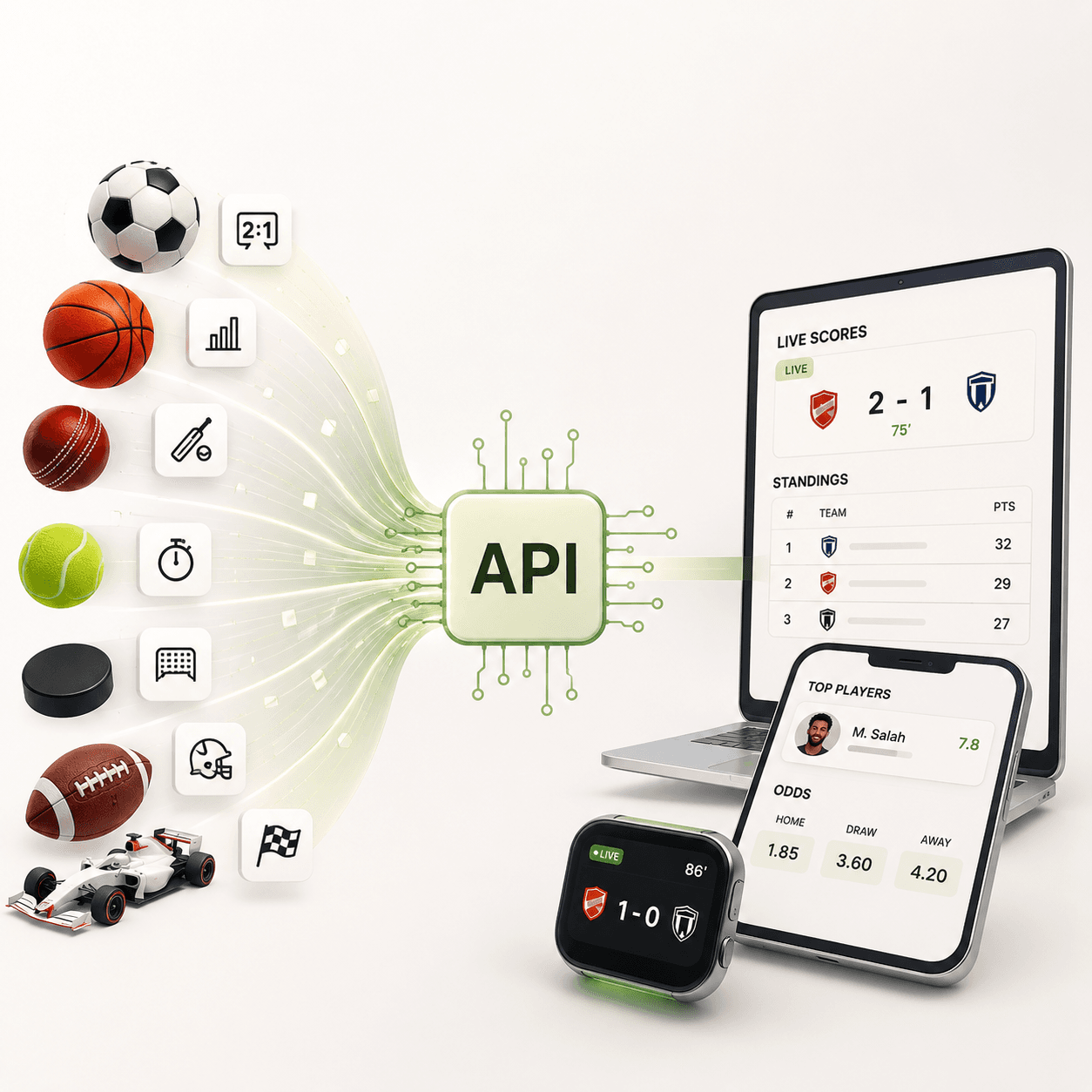
If you need app reviews in a script, the official routes are annoying. Apple wants you to be the developer with App Store Connect access. Google Play's reviews API only returns reviews for apps you own. For competitor research, release monitoring or a sentiment pipeline over apps you don't control, you want a public-review API that takes an app ID and gives back JSON.
This post compares the review APIs listed on API.market that you can call with one key: App Store Reviews, Google Play Reviews, Amazon and Walmart Reviews, and the multi-platform Review Scraper. The request fields and limits below come from each listing's documentation. App Store, Google Play and retail-review plan prices were rechecked through the live plan lookup on November 17, 2026. Review Scraper pricing remains unverified because its plan lookup returned Product not found; the figures for that one listing are historical documentation, not a current offer. Confirm the plan shown before subscribing.
After the listings you will find a design for a daily review monitor (what to store, how to avoid duplicates, how to alert), the cost of watching a realistic set of apps, the limits that matter when you plan, error handling, and a long FAQ.
Quick comparison
| API | Source | Method | Free tier | Paid plans | Per-call limit |
|---|---|---|---|---|---|
| App Store Reviews | Apple App Store, 48 countries | POST | 50 calls | $9.99 (1,500 calls), $29.99 (12,000), $99.99 (50,000) | 20 reviews per request |
| Google Play Reviews | Google Play, up to 55 countries | POST | 50-call trial (7 days) | $9.99 (1,500 calls), $29.99 (12,000), $99.99 (50,000) | 20 reviews per request |
| Amazon and Walmart Reviews | Amazon, Walmart | GET | 50-call trial (7 days) | $9.99 (1,000 calls) | Walmart up to 100, Amazon about 8 to 13 |
| Review Scraper | Multi-platform coverage claimed by listing | POST | Unverified | Current plan lookup unavailable | Confirm before use |
All four use the same header, x-api-market-key, so one account covers the lot.
Why not the official APIs?
It is worth saying plainly what the official routes can and cannot do, because it decides whether you need a third-party listing at all.
- Apple. The App Store Connect customer-reviews API lets a developer read customer reviews for apps in their own account. You cannot read a competitor's reviews with it, and you need an Apple developer login.
- Google. The Google Play Developer reviews API returns reviews for apps you own. Same rule: not for competitors, and it needs a Play Console account.
If you only need your own app's reviews and you already have those accounts, the official routes are free and fine. The listings below are for the other cases: competitor tracking, market research across many apps, agencies that watch client apps without sharing console logins, and quick scripts where setting up OAuth is more work than the task deserves.
App Store Reviews API
The App Store Reviews API reads Apple's public review feed. There's no Apple login and no Apple key. You send App Store IDs (or links) and the country stores you want.
| Field | Type | Notes |
|---|---|---|
appIds |
array of strings | App Store IDs such as 333903271. Links also work here. |
appUrls |
array of strings | App Store links |
countries |
array of strings | Two-letter store codes, 48 supported, default us. Unknown codes are skipped. |
maxReviews |
integer | 1 to 20 per app and country |
sortBy |
string | mostRecent (default) or mostHelpful |
Each row has rating, title, content, version (the app version the reviewer had installed), vote_count, vote_sum, country and updated_date, plus review_id, app_id, app_name, author_name, author_uri and app_url. The version field is the useful one for release monitoring: you can tie a spike of 1-star reviews to a specific build. The review_id is what you use to deduplicate across runs.
If no ID or link in your request can be read, the answer is an empty array. It never falls back to some other app, which is a good property: an empty list means "nothing found", not "wrong app".
Plans, from the listing's plan table: Free is 50 calls, Basic is $9.99 for 1,500 calls, Pro is $29.99 for 12,000 and Mega is $99.99 for 50,000. All have a hard limit, so calls stop when you hit the cap rather than billing overage.
Two limits worth knowing before you build on it. Apple's feed holds roughly the latest 500 reviews per app, country and sort order, and star-only ratings with no text aren't in the feed. A single request returns at most 20 reviews total, so for more you split by app and country.
That second limit has a consequence that is easy to miss. The maxReviews field is described as "per app and country", and the listing also says a request returns 20 reviews at most in total. In practice, if you send five apps and three countries in one request, you do not get 20 reviews from each pair. You get 20 rows in all. To collect a full 20 for every app and country, send one request per pair. The cost math below assumes that.
The code examples in this post follow each listing's documented request format. They were not executed as part of this editorial review, so verify the response fields with your own key before building on them. This curl body is from the App Store listing's docs:
curl --request POST \
  --url https://prod.api.market/api/v1/benthepythondev/app-store-reviews/ \
  --header 'Content-Type: application/json' \
  --header 'x-api-market-key: YOUR_KEY' \
  --data '{"appIds": ["333903271"], "countries": ["us"], "maxReviews": 20}'
A row from the listing's own test run looks like this:
{"rating": 2, "title": "Automation Takeover", "version": "12.37", "vote_count": 0, "country": "US", "updated_date": "2026-10-24T09:43:53-07:00"}
The listing says a three-review request took about four seconds, because each call starts a fresh run. Don't put it in a hot path.
Google Play Reviews API
The Google Play Reviews API works the same way with package names (com.twitter.android) instead of numeric IDs. It adds a language field, a filterRating field to pull only, say, 1-star reviews, and a sortBy of newest or most_relevant. You can send up to 100 apps and 55 countries in one request, still capped at 20 reviews per request overall.
The fields from the listing:
| Field | Type | Notes |
|---|---|---|
appIds |
array of strings | Package IDs, up to 100 per request |
appUrls |
array of strings | Play Store links, up to 100 per request |
countries |
array of strings | Up to 55 country codes, default us |
language |
string | For example en, es, de, fr, ja. Default en |
maxReviews |
integer | 1 to 20, default 5 |
sortBy |
string | newest (default) or most_relevant |
filterRating |
integer | Only reviews with this star rating, 1 to 5 |
delaySeconds |
number | Delay between internal requests, 0.3 to 5 |
The request body from the listing's docs:
curl -X POST 'https://prod.api.market/api/v1/benthepythondev/google-play-reviews/' \
  -H 'x-api-market-key: YOUR_API_KEY' \
  -H 'Content-Type: application/json' \
  -d '{"appIds": ["com.twitter.android"], "countries": ["us"], "maxReviews": 5}'
Rows come back as a JSON array with review_id, app_id, app_name, author_name, author_image, rating, content, thumbs_up_count, review_date, app_version, country and app_url. The listing's overview also says the developer's reply is returned, so support teams can track whether complaints got an answer. The sample response in the docs does not show a reply field, so check a real response for the exact field name before you write code that depends on it. Google Play only lists reviews that have text, so rating-only entries won't show.
A handy detail: filterRating lets you ask for only 1-star reviews, which makes a complaint monitor cheaper because every returned row is relevant. Remember each call still counts as one call whatever it returns.
Pricing per the listing: Free is a 50-call trial for 7 days, then $9.99 for 1,500 calls a month, $29.99 for 12,000 and $99.99 for 50,000. The rate limit is 10 requests per second, and the docs add that going over it, or using all 50 trial calls, returns a 429. Note that the status code on success is 201, not 200, so don't write if status == 200 and then wonder why nothing parses.
Amazon and Walmart Reviews API
The Amazon and Walmart Reviews API is the retail one. Three GET endpoints: Walmart reviews, Walmart product details and Amazon reviews.
Walmart is the generous side. You can request up to 100 reviews per call and filter by stars, verified purchase, topic and a start date, and sort by newest, oldest, helpful, relevancy or rating. Amazon is stingier: without a sign-in Amazon shows about 8 to 13 top reviews per product, and the response includes a note saying so. You can add marketplaces (US,CA,UK) to collect each market's top reviews in one response, and you get Amazon's "Customers say" topics with sentiment.
One thing worth noting: every response has a summary block with reviewsAvailable, reviewsDelivered and a stoppedBecause reason, so a partial result is never mistaken for a full one. In the listing's Walmart example, 27,822 reviews were available and 3 delivered because the request asked for 3.
curl -X GET "https://prod.api.market/api/v1/metqo-data/reviews/v1/walmart/reviews?product=10450114&max_reviews=3" \
  -H "x-api-market-key: YOUR_API_KEY"
curl -X GET "https://prod.api.market/api/v1/metqo-data/reviews/v1/amazon/reviews?product=B0BSHF7WHW" \
  -H "x-api-market-key: YOUR_API_KEY"
Reviewer names and profiles aren't returned. That is a plus for privacy and a minus if you wanted to match reviewers across products. Plans: a 7-day, 50-call trial at 2 requests per second, then Basic at $9.99 for 1,000 calls at 5 requests per second, with a hard stop at the limit.
Useful Walmart parameters for monitoring: stars=1,2 for complaints, verified_only=true to cut noise, since=2026-10-01 to ignore old reviews, and include_product=false if you only want reviews and not the product record. The listing documents include_product as defaulting to true.
Review Scraper (multi-platform, current plans unverified)
The Review Scraper listing describes support for Google Business, Trustpilot, G2, Yelp, Glassdoor, app stores and retail reviews. Its description shows a POST endpoint with a url field, but does not provide a complete request schema.
The live plan lookup returned "Product not found" on November 17, 2026, although the listing documentation was readable. That means the current plan price, trial availability and ability to subscribe were not verified. Historical listing prices are omitted here so you do not budget against an offer that may no longer be available. This option is excluded from the verified API recommendation cards. If you need G2 or Trustpilot coverage, confirm a current plan and test your target URL before committing to an integration.
Designing a daily review monitor
Say you want an alert when any of your apps, or a competitor's, picks up new low-star reviews. The API calls are the easy part. This is the structure around them.

What to store
One row per review. Use the vendor's review_id plus the store as the primary key so the same review never gets inserted twice.
CREATE TABLE reviews (
  store TEXT NOT NULL,            -- 'apple' or 'google'
  review_id TEXT NOT NULL,
  app_id TEXT NOT NULL,
  country TEXT NOT NULL,
  rating INTEGER NOT NULL,
  title TEXT,
  content TEXT,
  version TEXT,
  reviewed_at TEXT,
  first_seen_at TEXT NOT NULL,
  PRIMARY KEY (store, review_id)
);
CREATE INDEX idx_reviews_app_time ON reviews (app_id, reviewed_at);
Keep first_seen_at even though the review has its own date. Edited reviews change updated_date on Apple, and you want to know when you first saw the text.
The polling loop
The sketch below polls the Google Play and App Store endpoints for a list of (app, country) pairs, inserts only new reviews and prints the low-star ones. It uses the request bodies and field names from the listing docs.
import os
import sqlite3
import time
from datetime import datetime, timezone

import requests

KEY = os.environ["API_MARKET_KEY"]
HEADERS = {"x-api-market-key": KEY, "Content-Type": "application/json"}

ENDPOINTS = {
    "apple": "https://prod.api.market/api/v1/benthepythondev/app-store-reviews/",
    "google": "https://prod.api.market/api/v1/benthepythondev/google-play-reviews/",
}

WATCH = [
    ("apple", "333903271", "us"),
    ("apple", "333903271", "gb"),
    ("google", "com.twitter.android", "us"),
]

db = sqlite3.connect("reviews.db")


def fetch(store, app_id, country, retries=2):
    body = {"appIds": [app_id], "countries": [country], "maxReviews": 20}
    body["sortBy"] = "mostRecent" if store == "apple" else "newest"
    for attempt in range(retries + 1):
        r = requests.post(ENDPOINTS[store], headers=HEADERS, json=body, timeout=90)
        if r.status_code in (200, 201):
            return r.json()
        if r.status_code in (429, 500, 503) and attempt < retries:
            time.sleep(3 * (attempt + 1))
            continue
        raise RuntimeError(f"{store} {app_id} {country}: {r.status_code} {r.text[:200]}")


def normalise(store, row):
    if store == "apple":
        return (row["review_id"], row["rating"], row.get("title"), row.get("content"),
                row.get("version"), row.get("updated_date"))
    return (row["review_id"], row["rating"], None, row.get("content"),
            row.get("app_version"), row.get("review_date"))


def run():
    now = datetime.now(timezone.utc).isoformat()
    new_low = []
    for store, app_id, country in WATCH:
        for row in fetch(store, app_id, country):
            rid, rating, title, content, version, when = normalise(store, row)
            cur = db.execute(
                "INSERT OR IGNORE INTO reviews VALUES (?,?,?,?,?,?,?,?,?,?)",
                (store, rid, app_id, country, rating, title, content, version, when, now),
            )
            if cur.rowcount and rating <= 2:
                new_low.append((store, app_id, country, version, rating, (content or "")[:140]))
        time.sleep(1)  # polite gap between calls
    db.commit()
    for item in new_low:
        print(*item, sep=" | ")


if __name__ == "__main__":
    run()
A few notes on why it looks this way. It makes one request per app and country because of the 20-row cap per request. It uses INSERT OR IGNORE so a review seen yesterday does not show up as new today. And it checks cur.rowcount so only genuinely new rows trigger an alert.
What can go wrong with polling
- Busy apps overflow the window. If an app gets more than 20 new reviews per country between two runs, you will miss some, because you only ever see the newest 20. Run more often for big apps, or filter to 1 to 2 stars on Google Play with
filterRatingand two requests. - Apple edits. A review can be edited and surface again with a new date. Because the table keys on
review_id, the edit will not insert again. If you care about edits, store anupdatedcolumn and compare. - Slow calls. The App Store listing mentions about 4 seconds for a small request. A watch list of 100 pairs run one after another takes several minutes, which is fine for a nightly job and bad for a web request.
- Empty arrays. An empty array can mean no reviews in that country or a temporary empty answer from Apple's feed. Do not delete data because of one empty response.
Group by version
The reason to care about the version field is release triage. After each update, group new reviews by version and compare average ratings:
SELECT version,
       COUNT(*) AS n,
       ROUND(AVG(rating), 2) AS avg_rating,
       SUM(rating <= 2) AS low_star
FROM reviews
WHERE app_id = 'com.twitter.android'
  AND reviewed_at >= date('now', '-14 day')
GROUP BY version
ORDER BY n DESC;
A version with a much lower average than the one before it is your first signal that a release introduced a problem. Treat small samples with care: ten reviews is a hint, not a proof.
Send the alert somewhere useful
Print is fine for a first run. For a team, post the low-star list to a chat webhook once a day, with the app, country, version and the first 140 characters. Link to the app store page using the app_url field. Keep the message short enough that people read it.
What it costs to watch a real set of apps
Each app and country pair is one request to one listing. App Store Reviews and Google Play Reviews are separate subscriptions: you pay for each listing and cannot share a call allowance between them. The examples below assume a 30-day month, one request per app and country per day, no retries and the published monthly plan limits.
| Scenario | App Store calls/month | Google Play calls/month | Plans required | Total monthly cost |
|---|---|---|---|---|
| Your 3 apps, US only, both stores | 90 | 90 | Basic on each listing | $19.98 |
| 10 apps, 3 countries, App Store only | 900 | 0 | App Store Basic | $9.99 |
| 10 apps, 3 countries, both stores | 900 | 900 | Basic on each listing | $19.98 |
| 40 apps, 5 countries, both stores | 6,000 | 6,000 | Pro on each listing | $59.98 |
| Competitor sweep, 100 apps, 5 countries, both stores | 15,000 | 15,000 | Mega on each listing | $199.98 |
At full plan capacity, the cost per 1,000 calls on one listing is about $6.66 on Basic, $2.50 on Pro and $2.00 on Mega. A plan is only good value if you use its capacity. Calculate each store independently, then add the two bills: for example, 900 App Store calls and 900 Google Play calls cost $9.99 + $9.99 = $19.98 on the two Basic subscriptions. Keep room for retries and 31-day months; a large app may also need more frequent polling to collect reviews before they leave the feed window.
Daily checks are rarely needed for quiet apps. A small app with a handful of reviews a week can be polled twice a week. Cutting those from daily to twice weekly drops the call count by about 70 percent.
For retail reviews, Amazon and Walmart Basic gives 1,000 calls for $9.99. Tracking 30 Walmart items daily is 900 calls. Walmart returns up to 100 reviews per call, so one call per item per day is plenty. The Review Scraper's current plan lookup did not resolve, so its pricing is excluded from these budgets.
Error handling
| Code | Meaning | What to do |
|---|---|---|
| 200 / 201 | Success. Google Play and App Store return 201 on POST. | Treat both as success. |
| 400 | Bad JSON or a wrong field type | Fix the request. |
| 401 | Missing, invalid or expired key | Check the header. |
| 403 | Your subscription does not include the endpoint | Subscribe to that listing. |
| 404 | Wrong path or the item does not exist | Check the app ID. |
| 429 | Rate limit hit, or the free trial's 50 calls used up | Slow down, or upgrade. |
| 500, 503 | Provider trouble | Retry with a pause. |
Also log empty arrays with the request that produced them. Silent empties are the hardest bug to find later.
Python example: a daily low-star digest
This is a smaller script than the monitor above. It pulls the newest Google Play reviews for one app and prints the 1 and 2 star ones. The request body is the one from the listing's docs.
import os
import requests

URL = "https://prod.api.market/api/v1/benthepythondev/google-play-reviews/"
HEADERS = {
    "x-api-market-key": os.environ["API_MARKET_KEY"],
    "Content-Type": "application/json",
}

def low_star_reviews(package_id, country="us"):
    body = {
        "appIds": [package_id],
        "countries": [country],
        "maxReviews": 20,
        "sortBy": "newest",
    }
    resp = requests.post(URL, headers=HEADERS, json=body, timeout=60)
    resp.raise_for_status()
    return [r for r in resp.json() if r["rating"] <= 2]

for r in low_star_reviews("com.twitter.android"):
    print(r["review_date"], r["app_version"], r["rating"], r["content"][:120])
Node.js example: App Store reviews by version
The same idea in Node 18 or later, grouping ratings by app version.
const res = await fetch(
  "https://prod.api.market/api/v1/benthepythondev/app-store-reviews/",
  {
    method: "POST",
    headers: {
      "x-api-market-key": process.env.API_MARKET_KEY,
      "Content-Type": "application/json",
    },
    body: JSON.stringify({
      appIds: ["333903271"],
      countries: ["us", "gb"],
      maxReviews: 20,
      sortBy: "mostRecent",
    }),
  }
);
const reviews = await res.json();
const byVersion = {};
for (const r of reviews) {
  byVersion[r.version] ??= [];
  byVersion[r.version].push(r.rating);
}
console.log(byVersion);
Remember that this request asks for two countries but the listing says only 20 rows come back in total, so the reviews will not split evenly between the US and the UK. Send one request per country if you need balanced samples.
Handling the data responsibly
Reviews are public, but they are still written by people. A few habits keep you out of trouble.
- Do not republish full review text on your own site without checking the store's terms. Quoting short excerpts internally for analysis is a different thing from copying content onto a public page.
- Author names are personal data. App Store rows include
author_name. If you store them, treat them like any other personal data, set a retention limit, and delete them if someone asks. If you do not need names, do not save them. The Amazon and Walmart listing leaves reviewer identities out entirely. - Respect the sources. The listings read public feeds. Keep your request rate sensible and do not try to bypass limits.
- Say where data came from. In reports, label figures as "from public App Store reviews, up to the newest 500 per country". It is honest, and it stops people over-reading a sample.
This is general guidance and not legal advice. Ask someone qualified if you plan to publish or resell review data.
Which one should you pick?
- Watching your own or a competitor's mobile app: App Store Reviews plus Google Play Reviews. Same request shape, so one wrapper covers both.
- Ecommerce product research: Amazon and Walmart Reviews. Use Walmart for volume and Amazon for the topic summaries.
- Brand reputation across Trustpilot, G2 or Glassdoor: Review Scraper describes these sources, but verify its current availability and plans before relying on it.
- Deep history: none of these. Apple's feed stops around 500 reviews per app and country, so if you need years of data, start collecting now and store it yourself.
FAQ
Can I get reviews for an app I do not own? Yes. Both app store listings read public review feeds, so any public app works. That is the main reason to use them instead of the official APIs.
How many reviews can I get in one call? At most 20 on the two app store listings. Walmart returns up to 100 per call. Amazon shows about 8 to 13 top reviews per product without sign-in.
How far back does the data go? For Apple, the feed holds about the latest 500 reviews per app, country and sort order. For Google Play the listing does not state a limit. Plan to store what you collect.
Do I need an Apple or Google developer account? No. The listings say there is no Apple login and no Google account or key involved.
Are star-only ratings included? No. Apple's feed leaves out ratings without text, and Google Play only lists reviews that have text.
Why did a Google Play call return 201? That is the documented success code for the endpoint. Treat 200 and 201 as success.
Can I filter to only 1-star reviews? On Google Play, yes, with filterRating. On the App Store listing there is no star filter in the documented fields, so filter the returned rows yourself. On Walmart, use stars=1,2.
What is the best way to avoid duplicate reviews? Key your table on the store plus the review_id and insert with ignore-on-conflict.
How do I read reviews in other languages? On Google Play set language and the right countries. On the App Store pick the country store; the listing does not document a language field.
Why am I getting 429 on the free plan? The Google Play listing says 429 also means the 50 free calls are used up. The Amazon and Walmart trial has a 2 requests per second limit as well.
Can I run these inside a web request? The App Store listing says each call starts a fresh run and a small request took about four seconds. Run them in a background job.
Does this replace a reputation management tool? No. It returns raw reviews. Alerts, sentiment scoring and dashboards are yours to build, or you can feed the text to a model.
Get a key and try one
The three verified plan lookups above include a free plan or trial. The optional Review Scraper listing's current plans remain unverified. Grab a key on API.market, subscribe to the App Store Reviews API or the Google Play Reviews API, and run the curl command from this post with an app you care about. The related ads.txt Scraper and App-ads.txt Checker from the same seller are handy if you're auditing an app publisher's ad sellers too.