It's mid-month.
Your workflows stop cold. You log into n8n Cloud and see the cap is hit: no executions left until next cycle, no grace period, no warning. Just a wall.
If that moment sounds familiar, or if your self-hosted server crashed on a Friday afternoon while you were out, you are already shopping for n8n alternatives.
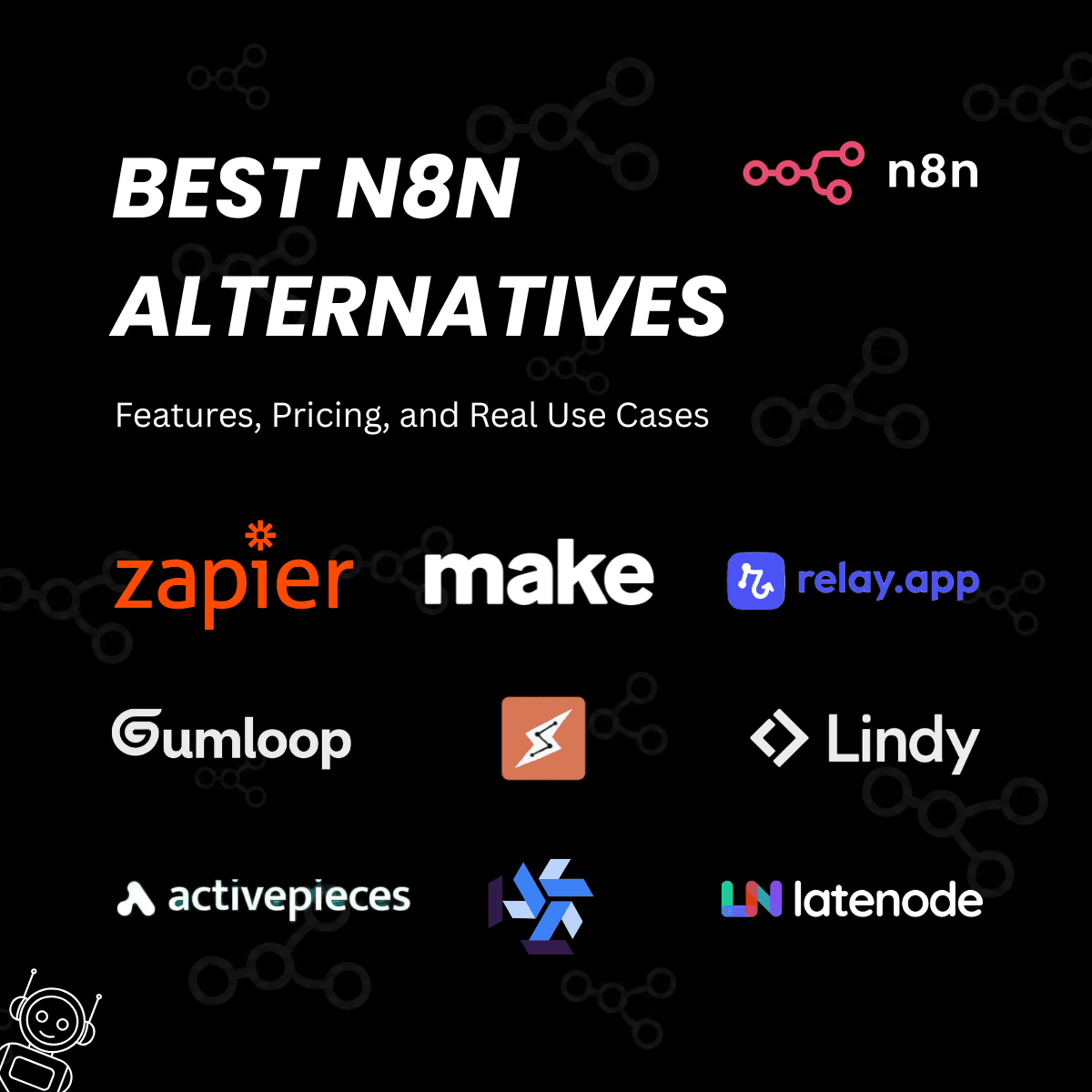
This guide compares 15 of them with real pricing, honest trade-offs, and use cases that actually tell you which one fits your situation.
Here’s a quick table summarizing the top 15 n8n alternatives:

How we evaluated these n8n alternatives
We looked at 15 tools across these criteria:
- Deployment: cloud vs. self-hosted vs. both options
- Pricing transparency and actual value per task or execution
- Integration count and how easy it is to connect custom APIs
- Developer experience: code support, setup difficulty, documentation quality
- AI and LLM workflow support in 2026, not just basic automations
- Community size and long-term platform reliability
Top 15 n8n Alternatives in 2026
1. Zapier
If your team has no engineers, Zapier is probably your first call.
It has 7,000+ app integrations, the largest library of any automation platform by a significant margin. You build "Zaps" in a visual editor that non-technical team members pick up in an afternoon. The interface is polished, the templates are genuinely useful, and the setup for common workflows takes minutes.
Key Features:
- 7,000+ integrations, the largest library of any platform on this list
- Visual Zap builder with no coding required at any step
- Multi-step Zaps with conditional logic available on paid plans
- Native AI steps via OpenAI and Anthropic integrations built in
- Zap templates for common workflows that set up in minutes
- Zapier Tables and Interfaces for lightweight data storage and form building
Pricing: The free plan gives you 100 tasks per month, which is useful for testing but not much else. Starter is $19.99/month for 750 tasks. Pro is $49/month for 2,000 tasks. Team is $69.50 per user per month. Company pricing is custom.
Real Use Cases:
- A new lead fills out a Typeform. Zapier fires immediately: it creates a contact in your CRM, sends a Slack alert to the sales rep, and logs the submission to a Google Sheet. Zero code, zero delay, done in about five minutes of setup.
- For content teams, Zapier handles the publish-and-distribute workflow cleanly. A new WordPress post triggers a Zap that posts to Twitter/X, LinkedIn, and Buffer, each formatted correctly for the platform. What used to take 20 minutes of manual work runs automatically.
2. Make (formerly Integromat)
Make is where you go when Zapier starts to feel limiting.
The visual canvas shows your entire automation as a flow diagram. You see every branch, every data transformation, and every error path laid out in front of you. The depth of logic you can build in Make is significantly beyond Zapier, and the price per operation is a fraction of the cost.
Key Features:
- Modular scenario builder with a drag-and-drop visual canvas
- Advanced data transformation and aggregation across steps
- Real-time execution with built-in error handling and retry logic
- 1,500+ app connections
- HTTP and webhook modules for custom API calls to any service
- Branching logic and multi-path workflows in a single scenario
Pricing: The free tier gives you 1,000 operations per month, enough to test anything you want to build. Core is $9/month for 10,000 operations. Pro is $16/month. Teams is $29/month. Enterprise is custom pricing.
At $9/month for 10,000 operations, Make delivers the best value per dollar of any tool on this list.
Real Use Cases:
- A sales team pulls leads from three sources: a LinkedIn lead gen form, the website contact form, and post-webinar registrations. One Make scenario scores each lead based on source and company size, then routes them to the right CRM pipeline based on that score.
- Developers use Make's HTTP module to poll APIs that don't have a native connector. The scenario fetches the response, transforms it into a normalized schema, and loads it into a database. No custom backend needed for pipelines like this.
3. Gumloop
Gumloop is built specifically for AI-native workflows, and it shows in every part of the interface.
The canvas looks similar to n8n, but every node has access to GPT-4, Claude, and Gemini without requiring you to manage API keys. You build AI workflows the same way you would build regular automations: drag, connect, run. The AI assistant (Gummie) helps you build and debug in plain English.
Key Features:
- Visual canvas similar to n8n's node-based interface
- Built-in GPT, Claude, and Gemini access with no API keys required
- Gummie AI assistant for building and debugging workflows in natural language
- Native LLM, web scraping, and data extraction nodes
- No-code AI agent builder
- Cloud-only deployment
Pricing: Gumloop offers a free tier with 5,000 credits per month. Its Pro plan starts at $37/month and includes 20,000 credits.
Real Use Cases:
- A marketing team builds a workflow that scrapes competitor blog posts weekly, sends each one through a Claude summarization node, and delivers a digest to a Slack channel every Monday morning. No API keys to configure, no backend code.
- Content teams use Gumloop to extract structured data from PDFs using an LLM node and output the result as a formatted JSON or spreadsheet row. Setup takes about 20 minutes from scratch. The entire pipeline runs without touching a line of code
4. Relay.app
Relay.app is a human-in-the-loop automation platform that prioritizes keeping humans meaningfully involved in automated processes. Unlike platforms that treat humans as bottlenecks to eliminate, Relay rejects that premise entirely.
It's designed for operations teams that need reliable automation with the flexibility for humans to approve, review, or step in when needed especially for workflows where context matters more than pure speed.
Key Features:
- Human-in-the-loop automation with seamless approval workflows
- AI-powered steps for content generation, data extraction, and classification (powered by GPT, Claude, or Gemini models)
- Broad integration coverage across 400+ apps including Gmail, Slack, HubSpot, and Zapier
- Usage-based pricing with steps (workflow actions) and AI credits as the billing units
- Visual workflow builder with conditional logic and multi-step automation
- Team collaboration features and audit logs for governance
- All integrations included at every pricing tier,no per-connector costs
Pricing: Relay.app offers a free tier with 200 automated steps and 500 AI credits per month for testing. The Professional plan starts at approximately $19/month and includes 750 steps with 2,000 AI credits.
The Team plan is around $59/month with 1,500 steps, higher AI credits, and multi-user access. Enterprise plans offer unlimited steps and custom integrations. All usage overages are charged separately, and AI credits can be topped up as needed.
Real Use Cases:
- A marketing ops team uses Relay to automate lead qualification. When a new lead arrives in HubSpot, Relay automatically enriches their profile with AI summarization, then routes it to the right sales rep with a human approval step. The team maintains control over lead quality while cutting manual research time by 80%.
- A customer success team builds a workflow where support tickets in Slack trigger an AI-powered response generator. The system drafts replies based on ticket content and company context, but always routes to a human before sending.
5. Claude Co-work
Claude Cowork is Anthropic's agentic desktop automation tool for non-developers who need to automate knowledge work. Launched in January 2026, it's a persistent workspace that keeps files, tasks, and project context alive across sessions.
Unlike Chat (conversational) or Code (developer-focused terminal tool), Cowork lets you hand off complex multi-step projects to an AI agent, handling file management, research, content creation, and task execution with minimal instruction.
You can watch the agent work directly with files on your desktop, pause execution when needed, and let it continue autonomously. It's designed for operations teams, project managers, researchers, and anyone doing repetitive work across multiple files and applications.
Key Features:
- Tasks and file context remain across sessions, not lost after a conversation
- Describe complex projects in natural language, Claude handles multi-step execution
- Agents work directly with documents, spreadsheets, and research files on your Mac
- Cowork tasks are compute-intensive and use more of your monthly allocation than regular chat
Pricing: Claude Cowork is included with Claude Pro ($20/month) and Max subscriptions ($100/month for Max 5x, $200/month for Max 20x). There is no separate Cowork fee, it's bundled with your paid Claude subscription.
Real Use Cases:
- A marketing team can use Claude Cowork to organize and execute quarterly campaign planning. They can drop a research folder, competitor analysis, and previous campaign results into Cowork. Claude's agent synthesizes the information, identifies patterns, generates 20 campaign concepts, and outputs them as formatted documents ready for the team to review.
- The research team uses Cowork to automate literature review and synthesis. First, feeds Claude dozens of research papers, specifies her research question, and Claude's agent reads through all documents, extracts relevant findings, identifies contradictions, and generates a structured summary with citations.
6. Lindy
Lindy is an AI agent builder that lets you create intelligent, autonomous workflows using natural language instead of traditional workflow diagrams. You describe what you want automated in plain English, and Lindy's AI agents make context-aware decisions, handle variations in input, and adapt to edge cases- all without writing code.
Unlike rigid trigger-action platforms (if X then Y), Lindy's agents reason through instructions, understand intent, and perform complex multi-step tasks. It's ideal for knowledge work automation: email management, calendar coordination, lead research, meeting prep, sales outreach, and customer support triage.
Key Features:
- Describe automation in plain English, Lindy generates the workflow
- Agents understand intent and handle variations without hard-coded logic
- Agents can control their own cloud computers to automate web apps without APIs (browser automation)
- Single agents can clone themselves to execute hundreds of parallel tasks (e.g., sending 100 personalized emails simultaneously)
- Multiple AI model support including Claude Sonnet, GPT-5, Gemini Flash and more.
- 6,000+ native integrations including Salesforce, HubSpot, Pipedrive, Gmail, Slack, and Google Workspace
- Simple tasks use 1 credit, complex multi-step workflows use more
- No credit card required for free tier; credits expire monthly
Pricing: Lindy AI offers a 7-day free trial with full access to its core features. There is no permanent free tier, but you can test the product before committing. The Plus plan starts at $49.99/month, designed for individuals looking to automate inbox, meetings, and daily workflows.
The Pro plan is priced at $99.99/month and provides 3x more usage, making it suitable for founders and small teams. And the Max plan starts at $199.99/month, offering significantly higher usage and is built for teams running AI automation at scale.
Real Use Cases:
- A freelance consultant uses Lindy to automate client outreach. She describes her ideal sequence: find prospects matching criteria, enrich their LinkedIn data, draft personalized cold emails, log everything in a spreadsheet.
- A customer success team builds Lindy agents to handle meeting prep. When a customer meeting is scheduled, the agent automatically pulls recent support tickets, previous meeting notes, and relevant product updates then generates a concise briefing document.
7. Activepieces
Activepieces is the strongest open-source n8n alternative for teams that want free self-hosting with no execution limits and real AI workflow support built in.
It runs on an MIT license: you can self-host it, modify it, and use it commercially without any licensing fees. It also ships with MCP support out of the box, making it one of the only automation platforms built for connecting LLMs to real business tools without writing custom middleware.
Key Features:
- 641+ integrations ("pieces") with new ones added regularly
- Around 400 MCP servers for AI agent workflows out of the box
- AI agents that use pieces as tools with Claude, Cursor, and other LLMs
- MIT license with no vendor lock-in or usage restrictions
- Cloud and self-hosted deployment options available
- Simpler Docker setup compared to n8n's configuration requirements
Pricing: The Standard plan is free and includes 10 active flows. Additional flows cost $5 per active flow per month. Enterprise pricing is custom.
Real Use Cases:
- An AI email classifier receives incoming support tickets, sends each one through an LLM step to categorize it as billing, technical, or general, then routes each category to a different team channel. The whole flow runs in Activepieces without writing a single line of backend code.
- Teams that hit n8n Cloud's execution caps often move to Activepieces self-hosted because the setup is genuinely simpler. You run it on a $10/month VPS and never think about usage limits again.
- For developers building AI agent pipelines, the MCP support is the real differentiator here. You can connect Claude or Cursor to your business tools via Activepieces as the middleware layer, without writing a custom integration for every tool.
8. Windmill
Windmill is built for engineering teams who want to write real code, not draw flowcharts.
You write scripts in Python, TypeScript, Go, or Bash. Windmill handles the infrastructure layer: scheduling, secret management, version control via Git, retries, and it auto-generates a UI for any script you write. If your team lives in code but doesn't want to build pipeline infrastructure from scratch, this is the tool.
Key Features:
- Write workflows in Python, TypeScript, Go, or Bash
- Auto-generates a UI from any script automatically, no frontend work needed
- Built-in secrets manager with Git sync for version control
- Cron scheduling and event-based triggers
- Fully open source and self-hostable
- Parallel execution and distributed processing support
Pricing: The open-source version is completely free when self-hosted, with no usage limits. Cloud has a free tier and paid plans starting around $10/month. Enterprise is custom.
Real Use Cases:
- A data team runs Python transformation scripts on a schedule. Each script pulls from a source, cleans the data, and writes to a warehouse. Windmill wraps those scripts with retry logic, error alerting, and a status dashboard without any extra infrastructure work.
- Internal admin tools are another strong use case. Write a Python script that takes parameters, and Windmill generates a form interface for it automatically. Non-technical teammates can trigger the script without touching a terminal or writing a line of code.
9. Pipedream
Pipedream is for developers who want serverless automation with full code control.
You write workflow steps in JavaScript, Python, or TypeScript. Each step runs serverlessly on Pipedream's infrastructure, so there is no server to provision or maintain. GitHub sync on paid plans means your automation logic lives in a repo, gets code-reviewed, and deploys automatically. It is the closest thing to a code-first, production-ready automation platform on this list.
Key Features:
- Code steps in JavaScript, Python, and TypeScript running serverlessly
- 1,000+ pre-built triggers and actions
- No infrastructure to manage at any point
- GitHub sync for version-controlled workflows on advanced plans
- Event and scheduled triggers
- Connect plan for embedding integrations directly into your own product
Pricing:
The free plan gives you 100 credits per month and limits you to 3 active workflows. Basic is $29/month. Advanced is $49/month with GitHub sync included. Connect is $99/month for production embedding use cases.
Real Use Cases:
- A developer builds a webhook handler that receives raw data from a third-party service, transforms it with custom JavaScript, and pushes the result to three different APIs in parallel. Pipedream runs the whole thing in the cloud with no infrastructure management required.
- For engineering teams already using GitHub, the Advanced plan workflow fits naturally into existing processes. Your automation logic lives in a repo, gets reviewed like any other code, and deploys to Pipedream automatically. Debugging becomes much easier when you have a full git history of every workflow change.
10. Microsoft Power Automate
If your company runs on Microsoft 365, Power Automate is already available to you.
It has deep native integration with Teams, SharePoint, Outlook, Excel, and Dynamics 365. If your workflows live mostly inside the Microsoft ecosystem, you will get more out of Power Automate than any other tool on this list with far less friction. No third-party connector needed for the tools your teams already use every day.
Key Features:
- Native integration with all M365 apps including Teams, SharePoint, Outlook, and Excel
- Power Automate Desktop for RPA and desktop application workflows
- AI Builder for document processing, form recognition, and intelligent automation
- 1,000+ connectors via the Power Platform
- Approval flows with native Teams integration built in
- Included in many M365 Business and Enterprise plans already
Pricing: A limited version comes included with most M365 subscriptions. The Premium plan is $15 per user per month. The Process plan for unattended RPA is $150 per bot per month. Enterprise pricing is custom.
Real Use Cases:
- A legal team uploads a contract to SharePoint. Power Automate triggers an approval flow, sends the contract to the right approvers via Teams, collects digital signatures, and archives the final version back to SharePoint. No external tools, no new logins, no context switching.
- Finance teams use AI Builder to extract data from scanned invoices, log it automatically to Excel, and send an alert when the total exceeds a set threshold. The entire flow runs inside tools the finance team already has open every day.
.
11. Apache Airflow
Airflow is the industry standard for data engineering pipelines. If you're building ETL workflows, it is what most data teams reach for first.
You define workflows as DAGs (directed acyclic graphs) in Python. Airflow handles scheduling, dependency tracking, backfilling for historical date ranges, and retry logic. The provider ecosystem covers AWS, GCP, Azure, Snowflake, dbt, and Spark natively. When your pipeline fails at 3am, Airflow sends the alert and retries the failed step.
Key Features:
- DAG workflow definitions written in Python
- Provider ecosystem covering AWS, GCP, Azure, Snowflake, dbt, and Spark
- Backfilling and historical reruns for any date range
- Rich monitoring UI with execution logs and dependency visualization
- Kubernetes and Celery executors for distributed scale
- Open source under Apache 2.0 license
Pricing: Self-hosted Airflow is completely free.
Real Use Cases:
- A data team runs nightly ETL from five source systems: Salesforce, a Postgres database, two SaaS tools, and an FTP server. Each DAG runs in dependency order, transforms the data, and loads it into Snowflake. When a step fails, it retries automatically and sends an alert to the on-call engineer.
- ML teams use Airflow to orchestrate model retraining pipelines. The DAG fetches new training data, runs preprocessing, triggers the training job, evaluates output metrics, and only promotes the model to production if accuracy passes a threshold. All of that runs automatically on a schedule without any manual oversight.
12. Temporal
Temporal is not an automation tool in the Zapier or Make sense. It is a durable execution framework for backend developers building mission-critical workflows in code.
If your workflow spans multiple services, runs for hours or days, and absolutely cannot lose state on failure, Temporal handles that. You write workflows in TypeScript, Go, Java, or Python. Temporal tracks execution state automatically and resumes from exactly where it left off after any failure, including server crashes.
Key Features:
- Durable execution with automatic retry on any failure, including infrastructure failures
- TypeScript, Go, Java, and Python all supported
- Time-based workflows that span hours or days without state loss
- Horizontally scalable and distributed execution
- Full execution history visibility in the dashboard UI
- Strongly typed workflow and activity definitions
Pricing: Open-source self-hosting is completely free. Temporal Cloud starts around $100/month with usage-based pricing above that. Enterprise is custom.
Real Use Cases:
- An e-commerce platform runs an order fulfillment workflow: payment confirmation, inventory reservation, warehouse notification, shipping label generation, and tracking number dispatch. Each step calls a different microservice. The workflow takes up to 48 hours. If any service goes down mid-flow, Temporal resumes from the last successful step with no data loss.
- A SaaS product's user onboarding flow spans four days: account provisioning on day one, a welcome email sequence over three days, and an activation check on day four. Temporal manages the timing and state without any cron jobs or external job queues in the application code.
13. Latenode
Latenode sits between Zapier and Pipedream in terms of power and price, which makes it an interesting budget option.
You get a visual workflow builder plus the ability to write custom JavaScript steps wherever you need more flexibility. It is significantly cheaper than Zapier or Pipedream at comparable usage volumes, and it works well for teams that need some code flexibility but do not want to go fully code-first.
Key Features:
- 300+ app integrations
- Custom JavaScript steps for data transformation and logic
- Visual workflow builder accessible to non-technical team members
- Webhook triggers and HTTP request nodes
- Built-in AI integration nodes
- Lower cost than Zapier or Pipedream at comparable usage levels
Pricing: Latenode offers a free plan with 300 workflow executions and unlimited scenarios and nodes. Paid plans start at $5/month (Mini) and go up to $59/month (Team), scaling with execution limits and features.
Higher tiers unlock more executions, team access, and fractional credit usage for advanced workflows.
Real Use Cases:
- A sales team enriches leads via three different APIs, normalizes the data with a custom JavaScript step, and writes the result to their CRM. The entire pipeline costs a fraction of what Zapier would charge for the same monthly volume. If you need to connect two tools that don't have a native integration anywhere, Latenode's webhook plus custom JS combination handles it without requiring you to spin up a backend server or a custom application.
14. Node-RED
Node-RED is one of the oldest visual workflow tools in the open-source world. It is completely free, and it always will be.
It runs on Node.js with a browser-based flow editor where you wire together "nodes" that represent inputs, processing steps, and outputs. It started as an IBM project for IoT use cases but works just as well for API integrations, local automations, and event-driven workflows. If your budget is zero and your use case is manageable, Node-RED is worth considering seriously.
Key Features:
- Completely free and open source with no paid tiers or usage limits anywhere
- Browser-based flow editor that runs locally or on any server
- Large community library of nodes for HTTP, MQTT, databases, and more
- Runs anywhere Node.js runs: Raspberry Pi, Linux, Windows, macOS
- Strong IoT and hardware integration support
- Active community with thousands of published flows you can import directly
Pricing: Node-RED is completely free with no paid tiers. You run it on your own infrastructure: a $5/month VPS or a local machine. There is no cloud version to pay for and never has been.
Real Use Cases:
- Home automation builders use Node-RED to wire together smart home devices, APIs, and local scripts. A motion sensor triggers a Node-RED flow that turns on lights, sends a push notification, and logs the event to a Google Sheet, all running locally on a Raspberry Pi with no external service costs.
- For small teams that need lightweight API glue code without a full automation platform subscription, Node-RED handles it cleanly. You set it up once on a VPS, wire your services together, and it runs indefinitely with no ongoing costs.
15. Flowise
Flowise is purpose-built for AI workflow construction. If your primary use case is building LLM applications, RAG pipelines, or AI agents visually, this is the tool designed for exactly that.
It is open source and runs on a drag-and-drop canvas where each node represents an LLM model, a vector store, a memory module, a tool, or a data source. You chain them together to build AI applications without writing backend code. If you have used LangChain or LlamaIndex and found the Python SDK approach too verbose, Flowise is the visual layer on top.
Key Features:
- Open-source drag-and-drop canvas built for LLM app construction
- Native LangChain and LlamaIndex component support
- RAG pipeline builder with vector store integrations including Pinecone, Chroma, and Weaviate
- AI agent builder with tool calling and memory modules
- Self-hosted or cloud deployment options
- REST API and embeddable chat widget for production deployments
Pricing: Self-hosting is completely free with no limits. The cloud free tier includes up to 2 flows and 100 predictions per month. Starter is $35/month for unlimited flows and 10,000 predictions. Pro is $65/month for 50,000 predictions with team features and priority support. Enterprise is custom with on-premise deployment support.
Real Use Cases:
- A developer builds a customer support chatbot that answers questions using RAG against a company knowledge base. The Flowise canvas wires together the document loader, a vector store, an LLM, and a chat interface. The whole thing deploys as an embeddable widget in under an hour.
- Teams building internal AI assistants use Flowise to give employees a chat interface over internal documentation, ticketing systems, or code repositories. You define the data sources, the LLM, and the memory behavior visually without writing a Python backend or managing a LangChain application directly.
Adding external APIs to your automation stack
Once you have picked your platform, you need external APIs feeding data into it.
Think email verification before adding a lead to your CRM, web scraping for competitor tracking, or image generation for campaign content. The automation platform handles the workflow logic. The APIs handle the data. Those are two different layers, and mixing them up leads to brittle, expensive pipelines.
API Market is a marketplace of data and AI APIs that connect to any platform via webhook or HTTP request nodes. Whether you are on Zapier, Make, Pipedream, or a self-hosted setup, you can call any API Market endpoint from an HTTP node in your workflow without building a custom integration for each data source.
If you are building marketing workflows, the guide on end-to-end campaign automation with APIs covers how to structure that kind of stack well before you start building. And if content generation is part of your pipeline, the breakdown on how to automate your marketing content creation pipeline shows the practical wiring in detail.
Which n8n alternative should you pick?
Use this as a quick filter:
- No developers on your team: Zapier or Make or Claude Cowork or Lindy or Relay or Gumloop
- Want open-source, free self-hosting, with AI support: Activepieces
- Engineering team, code-first automation: Windmill or Pipedream
- Building AI agent pipelines, no code: Flowise or Gumloop or Lindy
- Data engineering and ETL pipelines: Apache Airflow or Prefect
- Mission-critical long-running backend workflows: Temporal
- Deep in Microsoft 365: Power Automate
- IoT, local automation, or hardware integration: Node-RED
- Budget-conscious, some code support: Latenode or Lindy or Gumloop
- Enterprise with complex multi-system integration: Tray.ai or Workato
Conclusion
n8n is a solid tool, but it is not one-size-fits-all. The right n8n alternative depends on your technical level, your deployment preference, your budget, and how much AI workflow support you need in 2026.
Teams without developers do better with Zapier or Make. Developers who want code control without managing infrastructure reach for Pipedream or Windmill. Data teams standardize on Airflow or Prefect. And teams building AI-native applications are increasingly moving toward Activepieces, Flowise, or Gumloop for the LLM workflow support that older platforms were not designed to handle.
Whatever platform you pick, the automation logic is only as useful as the data flowing through it. Browse APIs on api.market to fuel your automation workflows with data, AI, and enrichment APIs that connect to any platform via a simple HTTP request.
FAQs About n8n Alternatives
Q1. Is there a free alternative to n8n?
Yes. Activepieces is the best free n8n alternative. It is open source (MIT license), self-hostable with no execution limits, and supports 641+ integrations including MCP-based AI agent workflows. Windmill is another free self-hosted option built for developer teams. For cloud options without self-hosting, Make's free tier (1,000 operations per month) and Zapier's free tier (100 tasks per month) are both solid starting points.
Q2. Does Google have an alternative to n8n?
Google does not have a direct n8n equivalent, but Google Cloud covers similar ground. Cloud Workflows handles service orchestration, Cloud Composer is managed Apache Airflow for data pipelines, and Pub/Sub handles event-driven messaging. For no-code automation that integrates with Google Workspace, Zapier and Make both have deep Google integrations and are much easier to get started with.
Q3. What is the easiest powerful n8n alternative?
Make (formerly Integromat) is the easiest powerful n8n alternative for most teams. Visual canvas, drag-and-drop building, complex branching logic, and it starts at $9/month for 10,000 operations. For open-source simplicity, Activepieces is a strong second with a cleaner setup than n8n, a growing integration library, and AI workflow support built in from the start.
![Featured image for article: 5 Best API for Stock Market Data All Over the World [2026]](/_next/image?url=https%3A%2F%2Fblog.api.market%2Fwp-content%2Fuploads%2F2026%2F04%2Fbest-api-for-stock-market-data-all-over-the-world.png&w=3840&q=75)